Give your story
somewhere to live.
Writing Desk is book writing software designed for novelists. Plot, draft, edit, and export your manuscript, formatted and ready to publish, all in one place.
Learn about our AI policy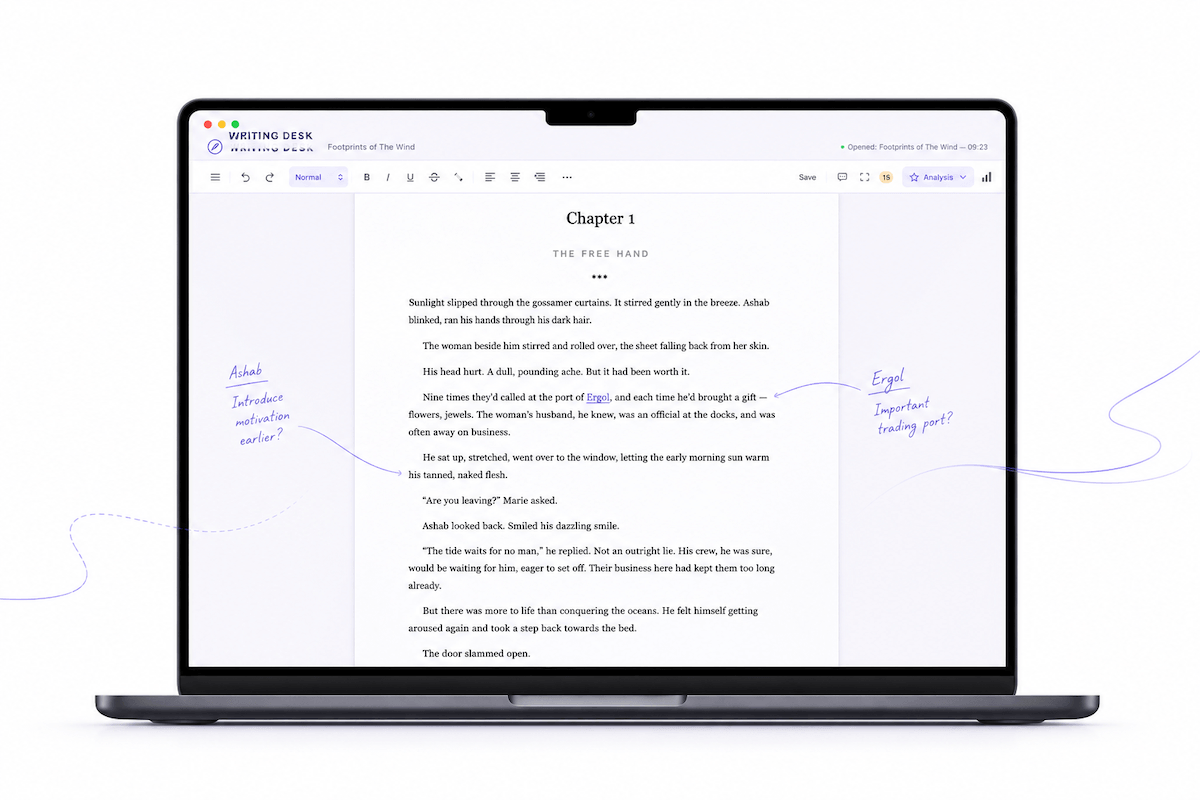
Your novel, in the write place.
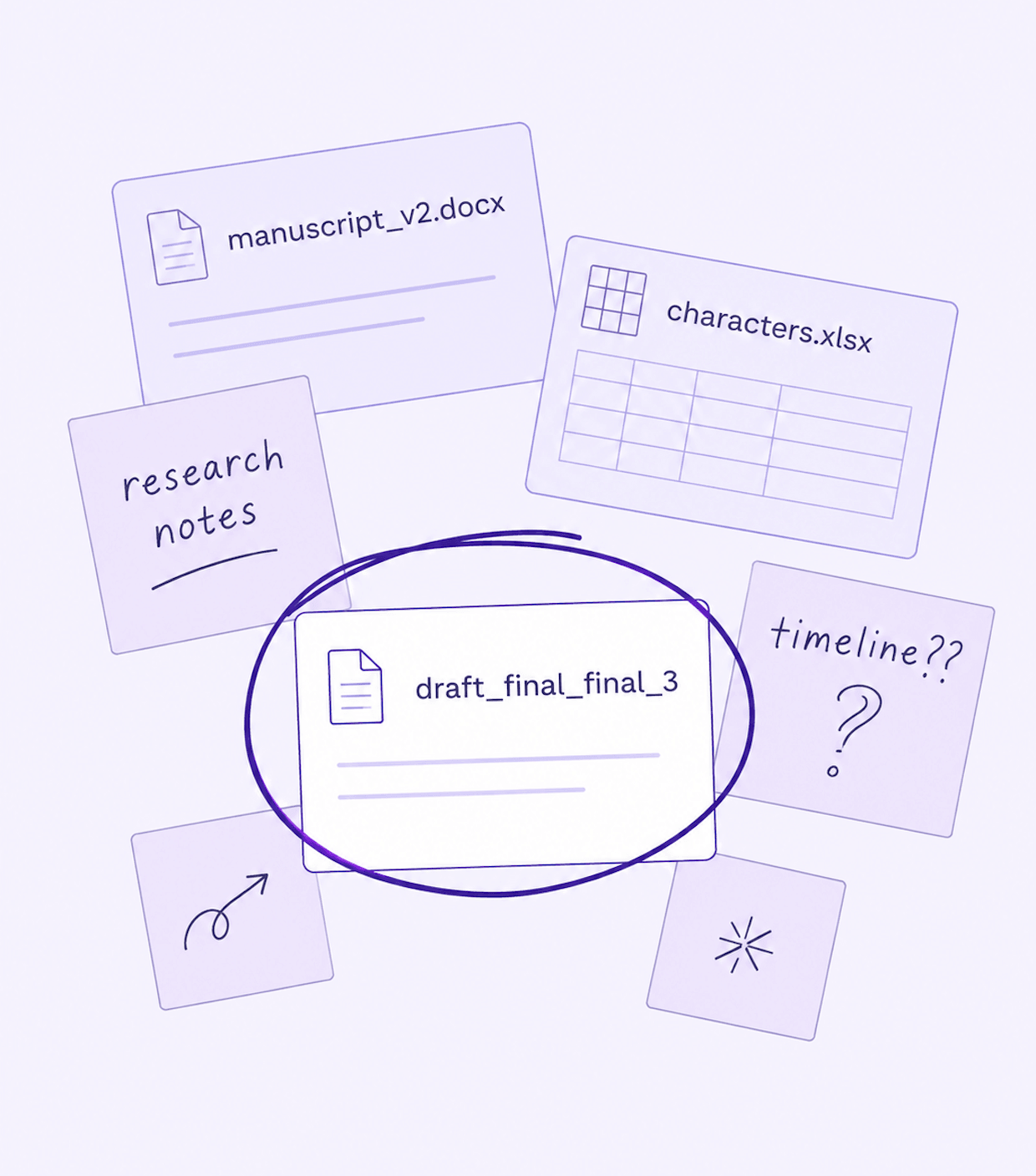
Characters, timelines, and research, spread across a dozen disparate documents and spreadsheets, and somewhere in the middle, a file called draft_final_final_3.
Your manuscript deserves better.
Writing Desk brings everything together, giving you the space you need to get down to the business of writing.
01
Plot with confidenceThe structure
before the sentence.
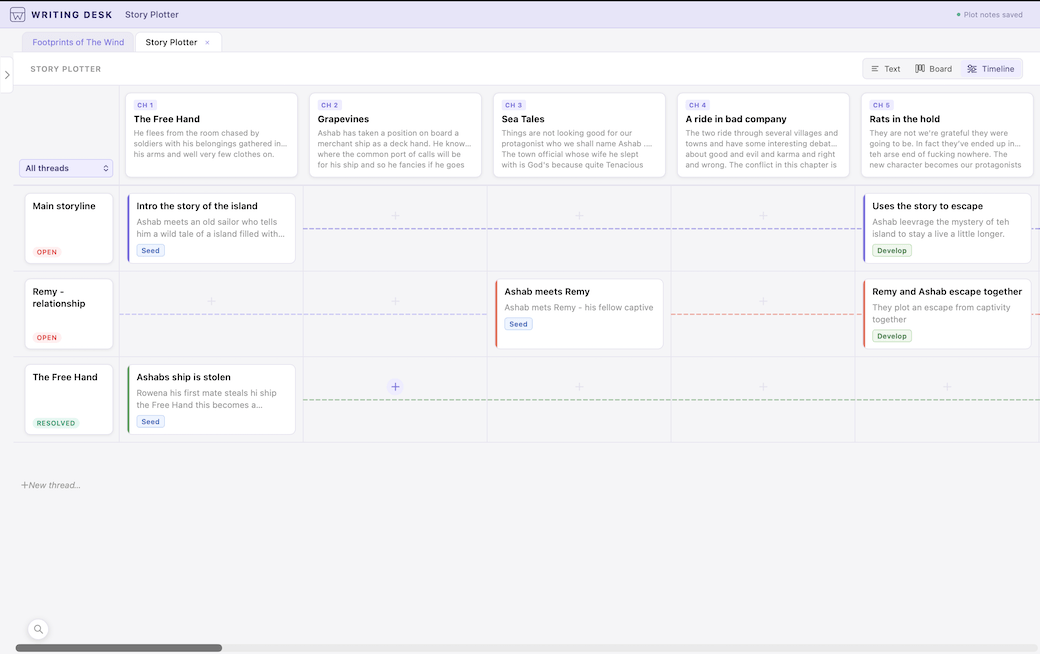
Dead ends, saggy middles, a subplot that never closes — they can all be avoided. The Story Plotter gives your novel its shape before you're a hundred pages into finding out it doesn't have one.
- Map your story chapter by chapter, scene by scene
- Built-in structure templates — three-act, Save the Cat, Hero's Journey, and more
- Buil in character, world, and lore sheets
- Your outline notes follow you into the editor automatically
02
Write without distractionNowhere to be
but the page.
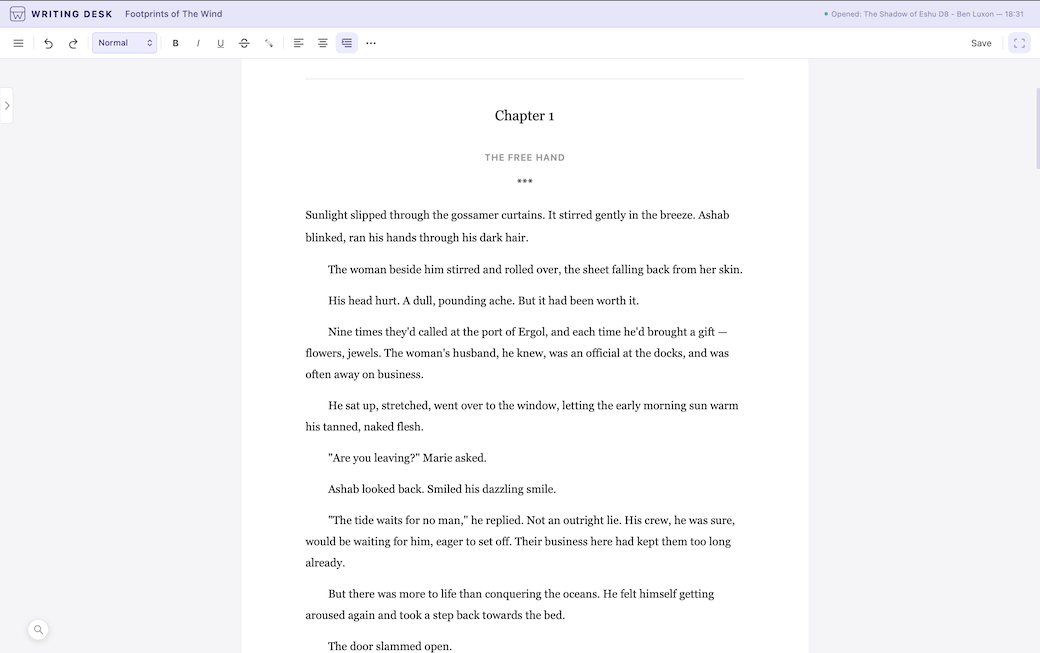
Writing Desk is your dedicated writing space. A clean, distraction-free zone built for Mac, with everything you need within reach.
- The Pad — per-chapter scratchpad, pulls notes from your Plotter
- Tabs — open any reference alongside your manuscript
- Focus Mode — one click takes everything unnecessary out of sight
- Dark Mode - for those late night writing sessions
- Research Assistant — answers without the rabbit hole
03
Edit boldlySee it again,
for the first time.
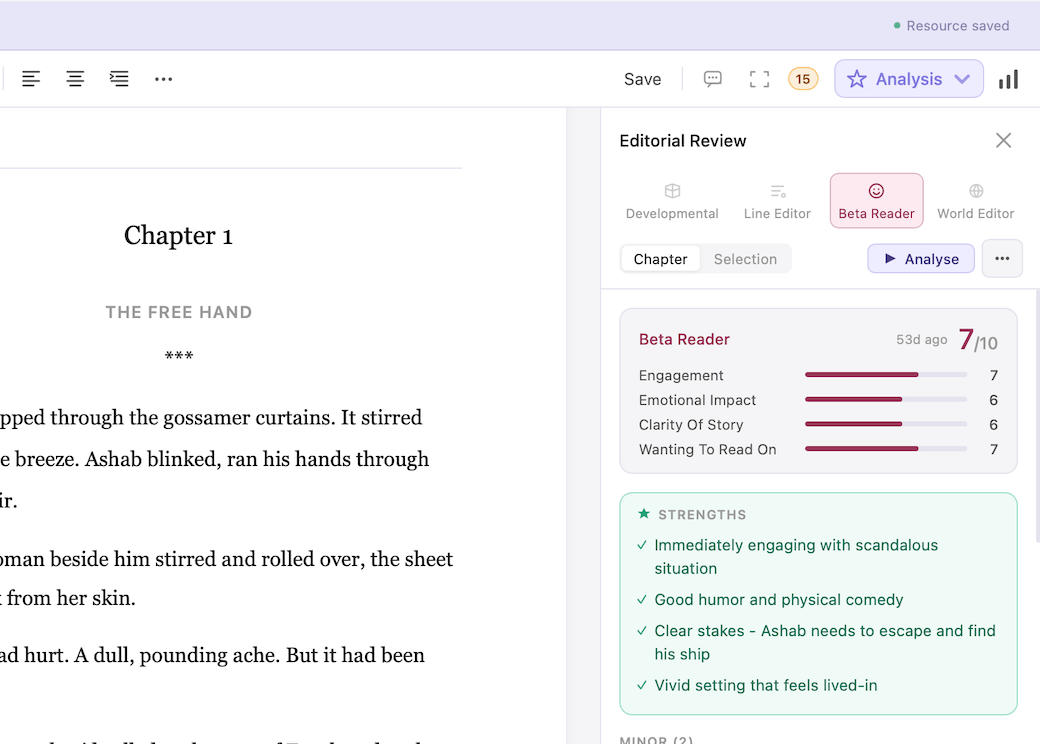
A beta reader isn't always at hand, and a second pair of eyes shouldn't have to wait. Writing Desk's editorial tools give you fast, honest feedback on your prose whenever you need it.
- Proofreader — grammar and style corrections as you type, always running locally
- Prose Analysis — passive voice, filter words, sentence rhythm and more
- AI Editor — developmental, line edit, beta reader, and world consistency modes
- Chapter Variants — experiment freely, your original always intact
- Version History — edit boldly, knowing you can always go back
04
Track your writingNovels are written
one session at a time.
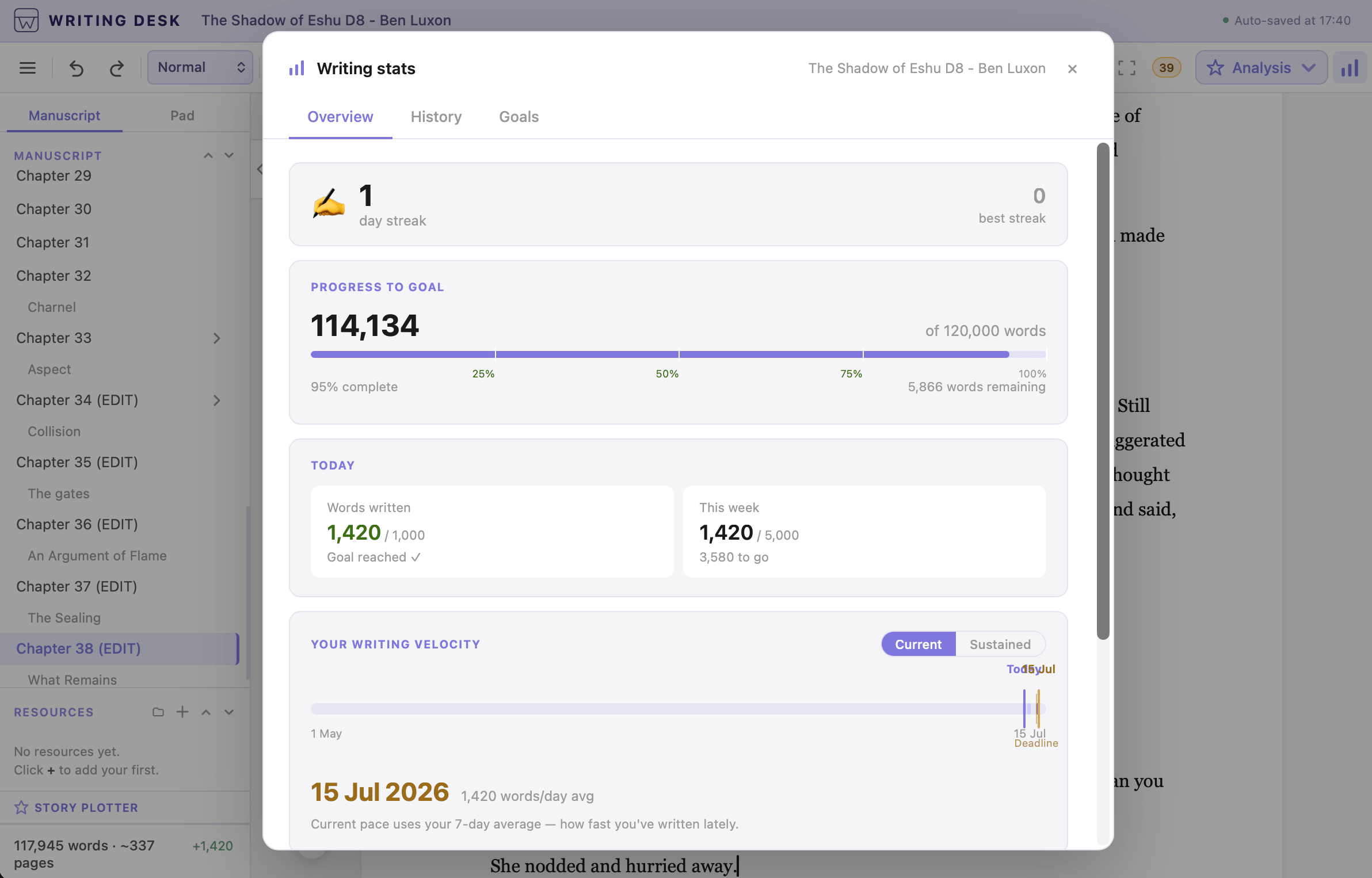
Set a goal, hit your deadline, watch the sessions add up to a finished book.
- Session stats — words written, time, pace
- Daily goals — set a target that fits your life
- Streaks — consecutive writing days
- Milestones — quarter, halfway, done
05
Professional formattingFinished the manuscript?
Let's make it a book.
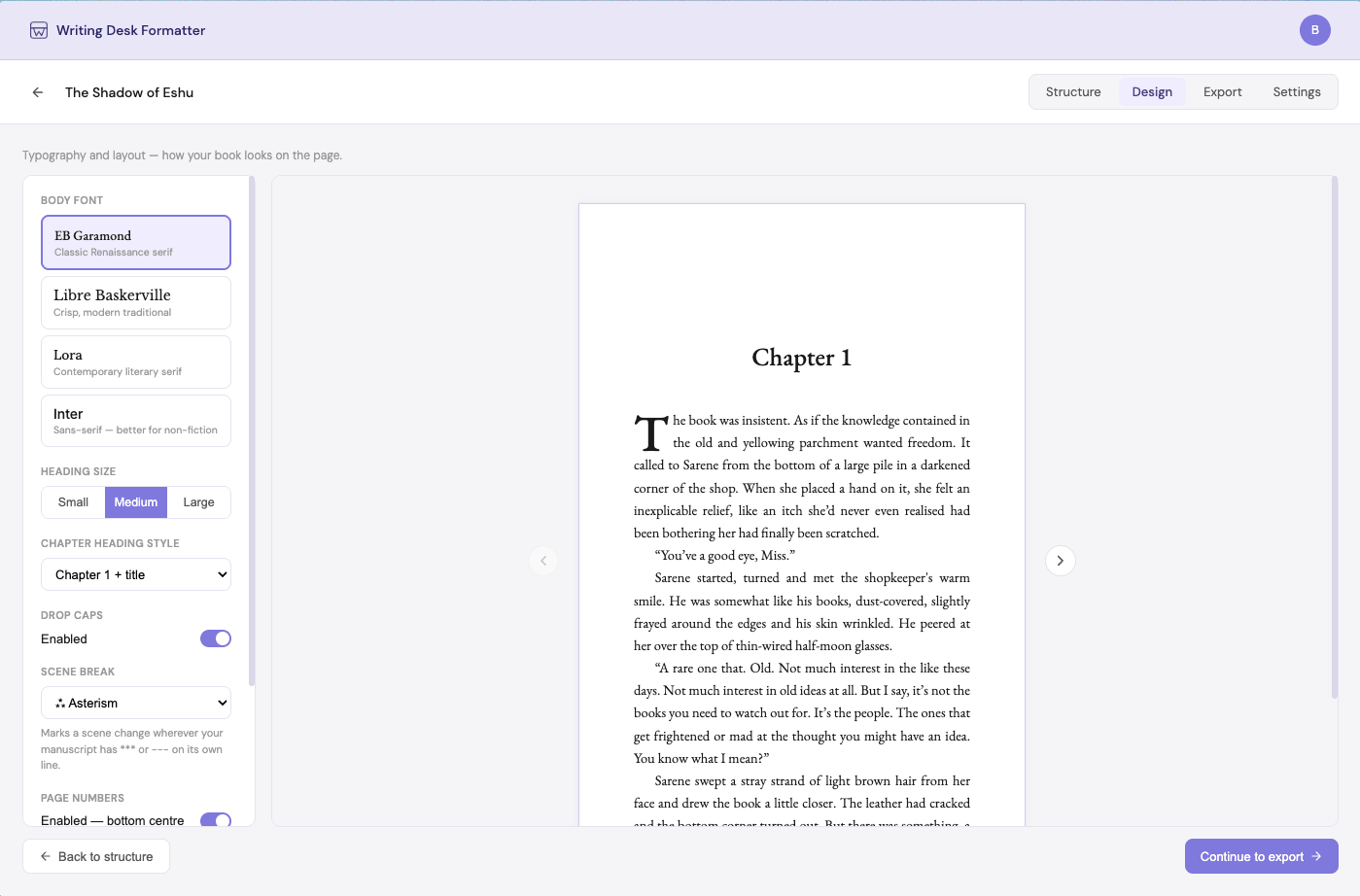
Months of work, still wearing Times New Roman? Professionally format and typeset your final draft into a publish-ready book you can send to the printers.
- Export to .docx — ready for agents, publishers, and collaborators
- Professional PDF — formatted for print and self-publishing platforms
- EPUB — ready to upload to Kindle, Kobo, and Apple Books
- Agent submission templates — industry standard formatting, applied automatically
Write like it's nobody's business.
Writing Desk is the private writing app for novelists.
Writing Desk will never generate prose on your behalf. Our AI tools exist to help you see your work more clearly — so you can make it better yourself. Your manuscript is never stored, retained, or used to train models.
Questions, answered.
What is Writing Desk?
Writing Desk is a book writing software for Mac, built for novelists. It brings plotting, drafting, editing, tracking, and formatting into one place, so you're not juggling five different tools to finish a book.
Who is Writing Desk for?
Writing Desk is built for creative writers and novelists. Whether you're outlining your first book or finishing your tenth, it's built around how long-form fiction actually gets written, not generic word processing. If you've outgrown scattered notes and other writing apps that weren't built for novels, this is for you.
How is Writing Desk different from other book writing software?
Writing Desk is book writing software that brings every stage of writing a novel into one place.
Start with the story planning tools, build out character sheets and world-building notes, add images, and grow your reference folder as you go.
When you're ready to write, move into a distraction-free editor with everything close at hand.
When you're ready to edit, use the AI Editor alongside Prose Analysis tools like passive voice detection and showing vs. telling to polish your writing. The AI tools are editorial only, they help you see your work more clearly, but they never write your prose for you.
And when you're ready to publish, export in a format ready for agent submission, or as an EPUB or print-ready PDF, all from one easy-to-use, end-to-end novel writing software.
Does Writing Desk use AI to write my book for me?
No. Writing Desk's AI tools give feedback only. Writing Desk will never write prose on your behalf. Developmental notes, line edits, consistency checks, a second pair of eyes. The words on the page stay yours.
Is my manuscript private?
Yes. Writing Desk is a private, local writing app. Your manuscript stays on your machine until you're readyfor it to be shared and is never used to train any AI model.
Can I import my manuscript from Scrivener or Word?
Getting started with Writing Desk is simple. Export your manuscript from Scrivener, Word, or any other writing app as a .docx file, then simply open it directly in Writing Desk. No complicated import process, no long setup.
Can I use Writing Desk offline?
Yes, for the core of your writing. Drafting, editing, proofreading, and tracking all work without an internet connection. AI-powered tools need a connection to run.
Can I use Writing Desk on PC?
Not yet. Writing Desk is Mac-only for now, with Windows on the roadmap.
How much does Writing Desk cost?
Writing Desk is free to get started. Everyone gets a 30-day free trial of the Premium plan, and if you choose not to subscribe, the core writing environment remains free. Premium plans, including AI editorial features, start from £10 per month. See full plan details on the Pricing page.