Writing Desk vs Atticus
Atticus pairs a writing editor with book formatting, so a manuscript can become an EPUB or print file in one tool. Writing Desk is a novel-writing app for Mac, iPhone and iPad that also exports typeset EPUB and print ready PDFs through the attached online Formatter tool. Atticus leads on formatting depth; Writing Desk leads on the writing and editing that come before it.
macOS 13 Ventura or later · No account required
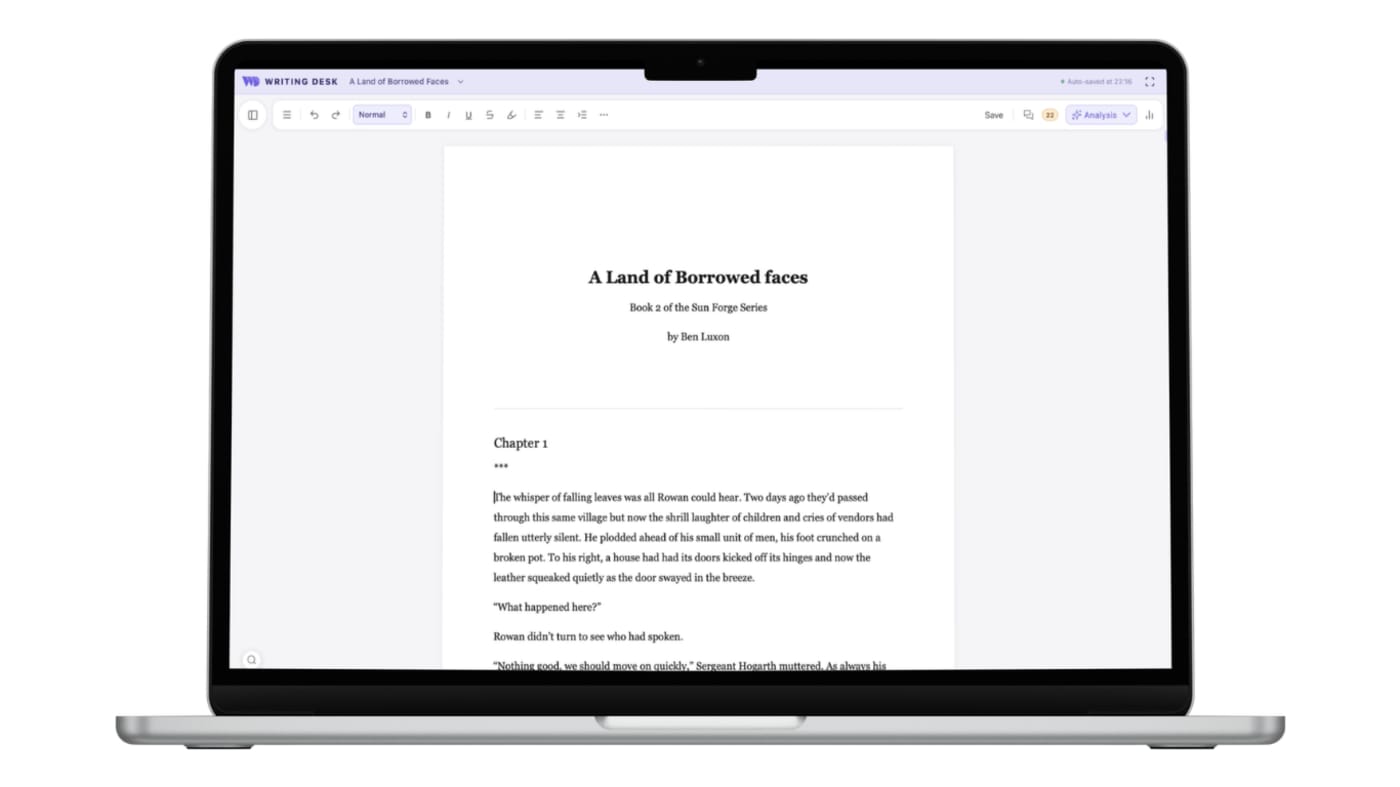
Write, revise and typeset in one Mac workflow
Three places where Writing Desk shortens the path from a blank page, or an existing draft, to a finished book.
Atticus is centred on formatting, with a lighter writing toolkit.
Convert a document to a .wddoc project for the Story Plotter, Timeline, Resource Hub, Pad and chapter variants before you format.
Atticus has limited editorial and proof reading tools so feedback will require additional software.
Proofreader, Prose Analysis and the AI Editor sit beside your draft.
$147 up front, with no free trial and a 30-day money-back guarantee.
Start on a free plan and pay only when you want more.
Converting a .docx or .md document to a .wddoc project makes a copy and leaves your original file as it is. How it works
At a glance
Writing Desk and Atticus side by side.
| Feature | Atticus | Writing Desk |
|---|---|---|
| Platforms | Windows, Mac, Linux and Chromebook, plus a browser app | Mac (macOS 13 Ventura or later), plus iPhone and iPad |
| Price | $147+VAT one-time; no free trial | Free plan with a 30-day Premium trial; paid plans starting at $10 per month on a annual subscription |
| Writing tools | Editor with chapter organisation | Story Plotter, Timeline, Resource Hub, Proofreader, Prose Analysis, editorial AI |
| Formatting | 17 templates with control over typography, trim size and chapter design | Typeset EPUB and print PDF through Formatter, with customisable fonts, heading style, drop caps and scene breaks |
| AI | No AI features | Editorial AI only. Writing Desk never writes your prose for you. Your work is never used to train AI models. |
| Export bundle | EPUB, PDF and DOCX export | Along with standrad word, markdown exports, Writing Desk provides EPUB and print ready PDFs |
Details about Atticus are accurate as of 6 October 2026, based on published reviews. Check atticus.io for current prices and features.
See Writing Desk at work
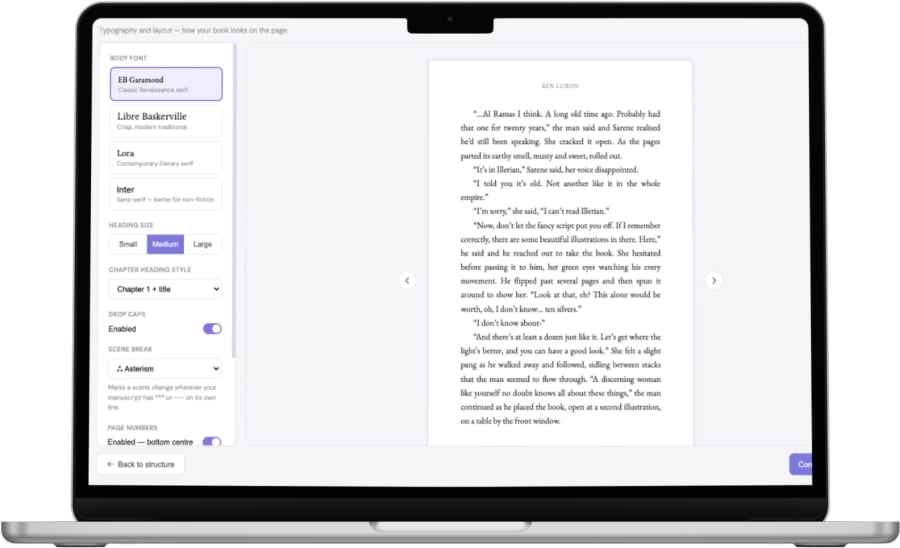
Typeset your book in Formatter
Choose fonts, headings, drop caps and scene breaks, then export an EPUB and print PDF.
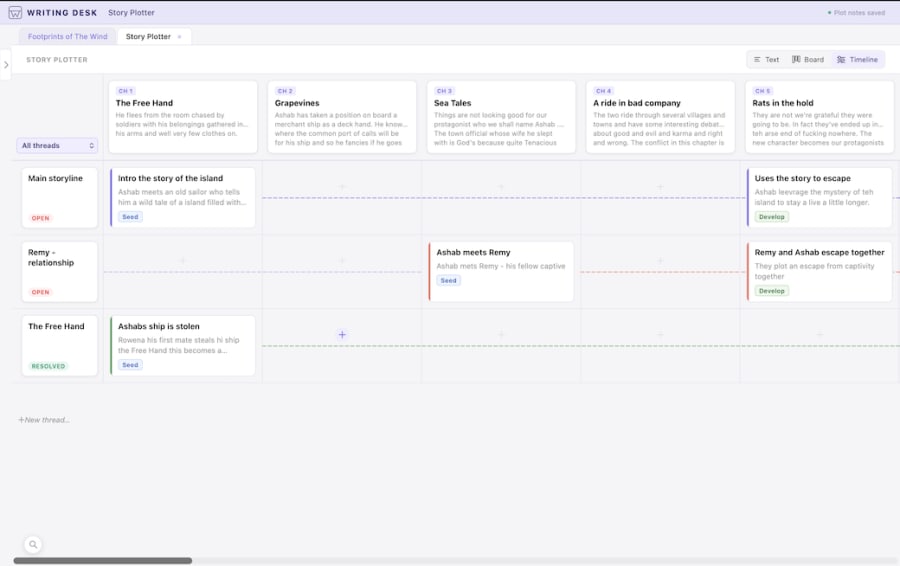
See the story on a timeline
Place scenes along a timeline and spot gaps in the plot.
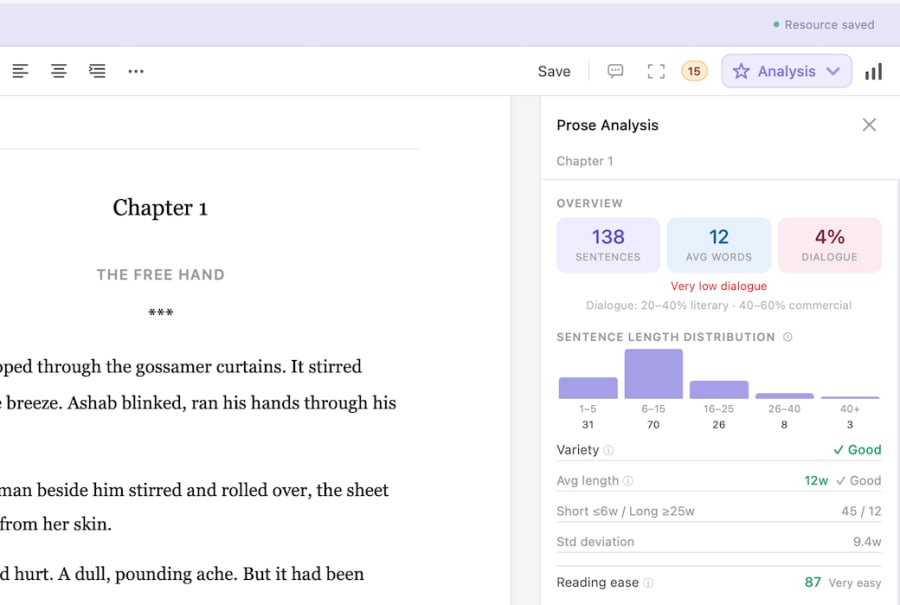
Prose Analysis
See sentence length, passive voice and other patterns in your own prose.
What each does well
What does Atticus do well?
- Formatting and templates that are the focus of the product.
- Works on Windows and Mac, and in the browser.
- A single payment with lifetime updates.
What does Writing Desk add?
- A full novel workspace before the formatting stage: plan, draft, revise.
- Editorial feedback and prose analysis in the same app as the manuscript.
- Customisable design elements for the finished book.
- A free plan, with one typeset EPUB and print PDF export included.
Which one should you choose?
Choose Atticus if you:
- Write on Windows.
- Need layout options beyond Formatter's current 5x8 trim.
- Want a single lifetime purchase.
Choose Writing Desk if you:
- Want to write, revise and typeset in one Mac workflow.
- Value editorial feedback before you format.
- Want to start free and pay when you need more exports.
macOS 13 Ventura or later · No account required
Can you use Atticus and Writing Desk together?
Yes. Export your manuscript as .docx from Writing Desk and import it to Atticus if you need its templates.
Common questions
Can Writing Desk make a print-ready book?
Formatter typesets your manuscript to an EPUB and a print PDF at a 5x8 trim.
Is Atticus better for formatting?
It offers deeper formatting controls. Writing Desk covers the writing and editing stages as well.
What does one export include?
Each export bundles an EPUB and a typeset PDF.
Try Writing Desk on your own manuscript.
Export a chapter through Formatter and see how it looks on the page.
macOS 13 Ventura or later · No account required