Your all-in-one writing app.
Writing Desk is Mac software for writers who work in more than one form. Essays, articles and notes in plain markdown. Word files that open and save as they are. Novels in a full project.
Download Writing Desk freeFree core writing environment, with 30 days of the full program included. Available on Mac, iPhone, and iPad. See the mobile app →
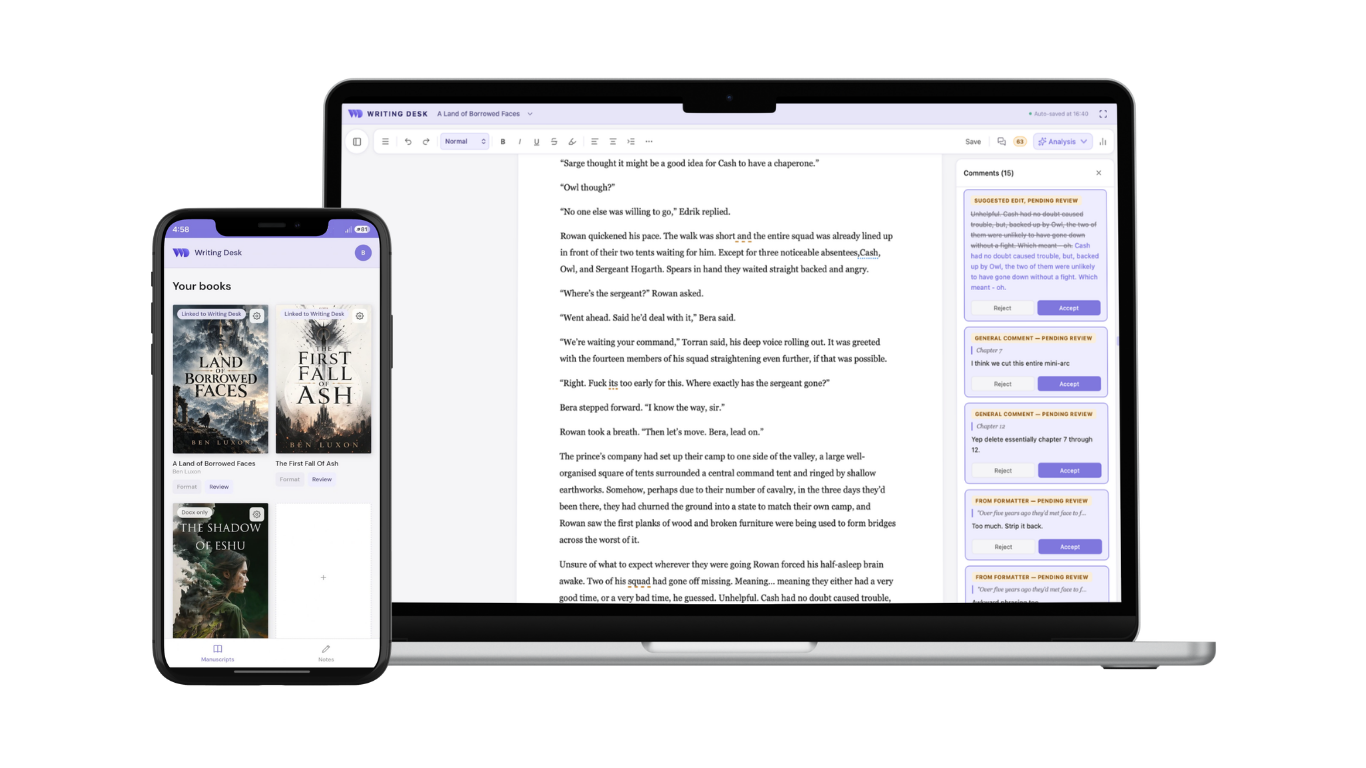
The format that fits the file.
Start a new document and Writing Desk creates a markdown file. Start a new project and it creates a novel project. Open an existing markdown or Word file to edit it where it sits.
| File | Best for | What you get |
|---|---|---|
| Document (.md) | Essays, articles, newsletters, notes | Open and edit, or create a new markdown file |
| Word file (.docx) | Files from editors, collaborators and clients | Open, edit and save as they are |
| Project (.wddoc) | Novels and other long work | Chapters, Story Plotter, Resource Hub, linked references, version history and export |
Powerful, distraction free writing
Dismiss distractions with a keystroke, Shift + Cmd + F, and use markdown and keyboard shortcuts for fast formatting.
Your outline sits in the left-hand panel along with linked reference files, so your sources remain within reach.
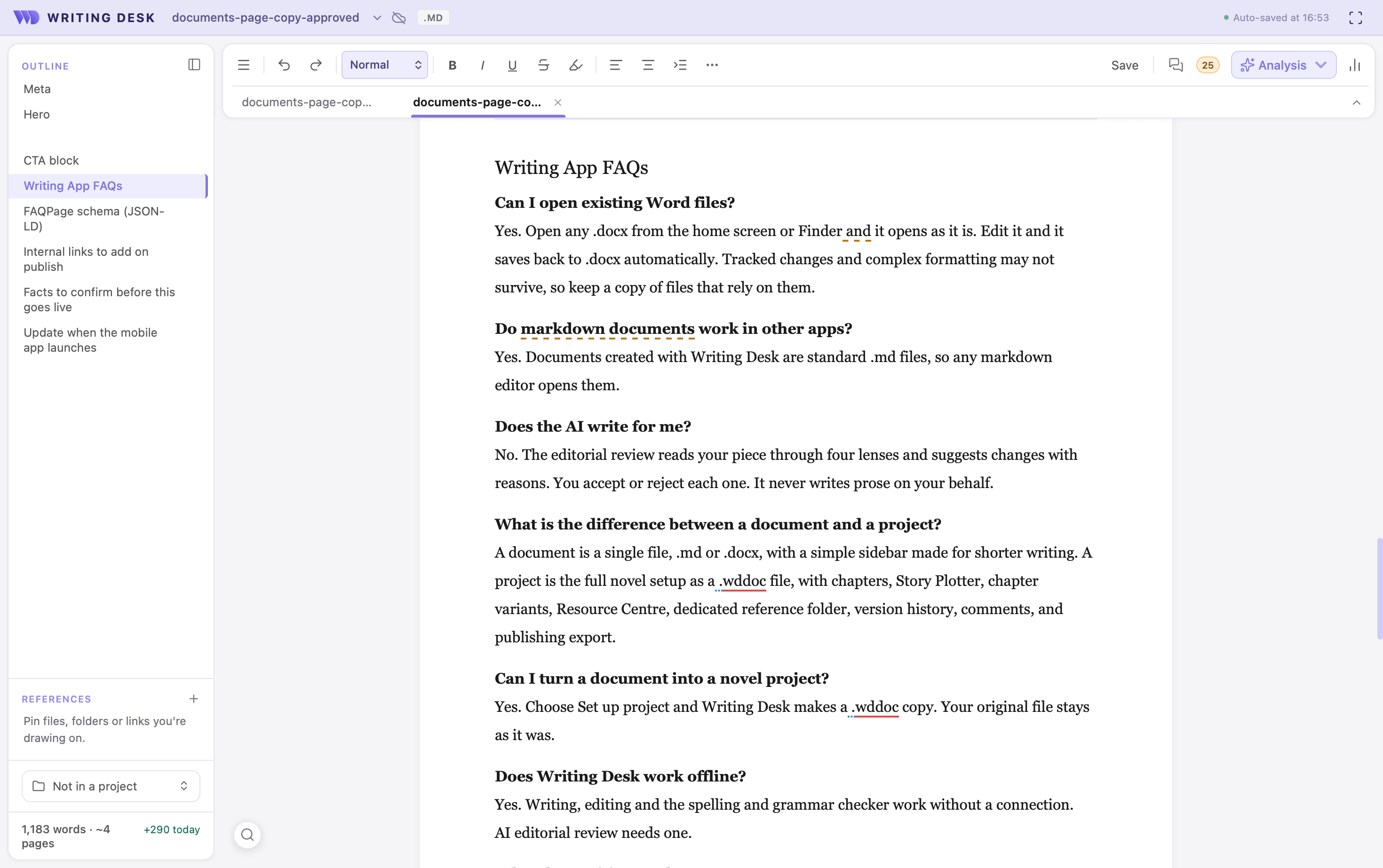
A markdown editor for Mac
New documents are created in markdown, with markdown shortcuts for fast formatting. Lightweight, versatile, and editable anywhere.
Press ⌘ / for every shortcut and markdown command in one searchable list.
Feedback on essays and articles
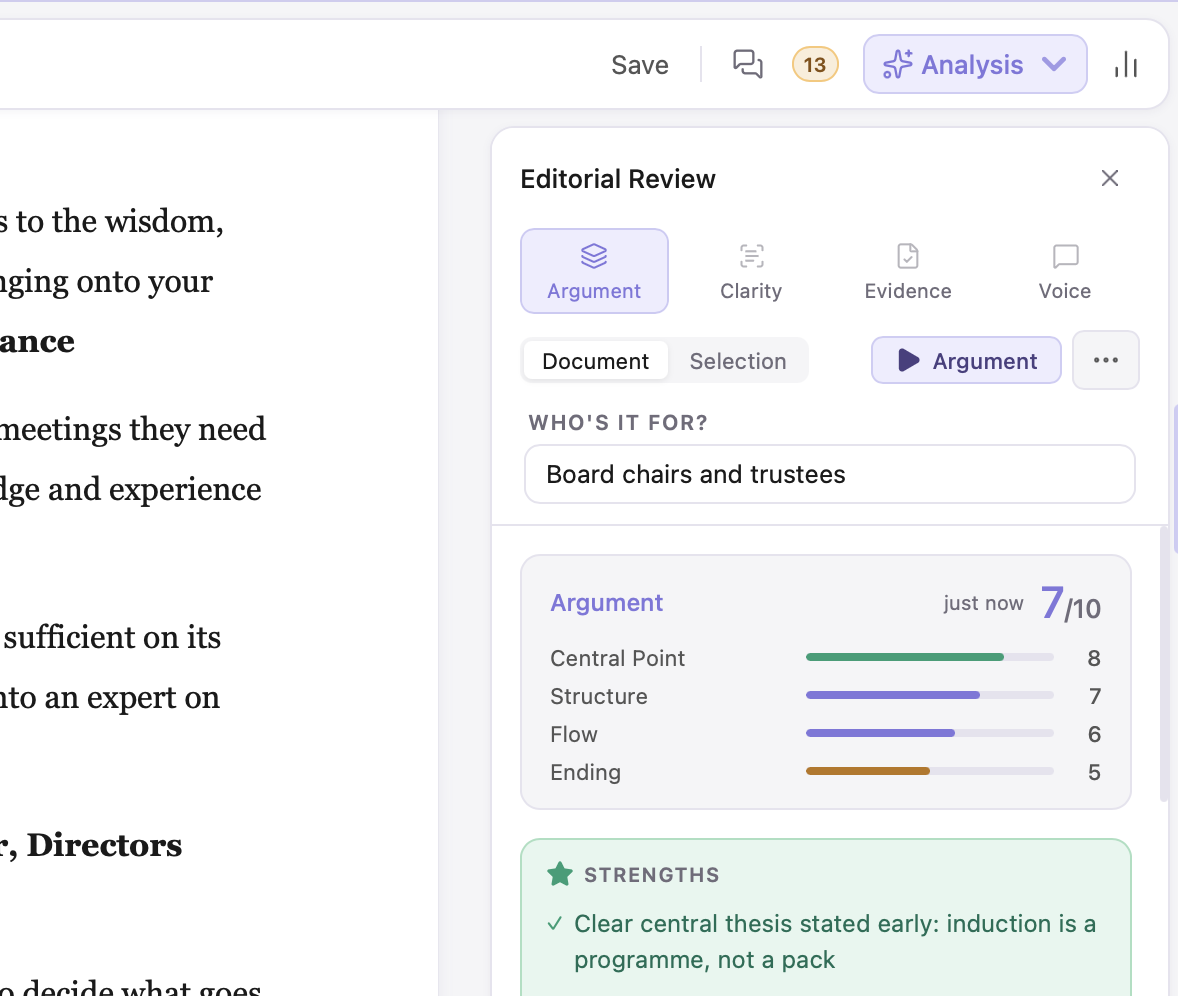
Run an AI review on non-fiction documents with four editorial lenses:
- Argument checks whether your case holds from start to finish.
- Clarity finds where a reader might lose the thread.
- Evidence flags claims that need more support.
- Voice checks your tone stays consistent and suits your reader.
AI assists editorially, never writes for you.
Edit Word files.
Open a .docx as it is
Open a .docx from the home screen or from Finder, and it opens as it is, with no conversion step.
Edit Word files →Send a manuscript to your editor
Working on a manuscript project? Export a chapter or the whole book to Word, send it to your editor, and open the edited file when it returns. Writing Desk merges the changes into your project, saving a copy of your previous version first.
Merge Word edits →Convert documents to projects
Convert any document into a project and make sure your novel has the structure it needs. Writing Desk makes a copy of your document as a .wddoc file.
From there you have the full novel toolkit: Story Plotter, chapter variants, a Resource Hub for characters and world, version history, and export to EPUB and print-ready PDF.
Writing app FAQs.
Can I open existing Word files?
Yes. Open any .docx from the home screen or Finder and it opens as it is. Edit it and it saves back to .docx automatically. Tracked changes and complex formatting may not survive, so keep a copy of files that rely on them.
Do markdown documents work in other apps?
Yes. Documents created with Writing Desk are standard .md files, so any markdown editor opens them.
Does the AI write for me?
No. The editorial review reads your piece through four lenses and suggests changes with reasons. You accept or reject each one. It never writes prose on your behalf.
What is the difference between a document and a project?
A document is a single file, .md or .docx, with a simple sidebar made for shorter writing. A project is the full novel setup as a .wddoc file, with chapters, Story Plotter, chapter variants, Resource Hub, dedicated reference folder, version history, comments, and publishing export.
Can I turn a document into a novel project?
Yes. Choose Set up project and Writing Desk makes a .wddoc copy. Your original file stays as it was.
Does Writing Desk work offline?
Yes. Writing, editing and the spelling and grammar checker work without a connection. AI editorial review needs one. The mobile app works offline too and syncs when you reconnect.
What does Writing Desk cost?
The core writing environment is free and stays free. Every new install includes 30 days of the full program, and when those end the Pro and Premium features pause while you keep writing. Paid plans start from £8 per month when you pay annually. See pricing.
Is there a Windows version?
Not yet. Writing Desk is available on Mac, iPhone, and iPad, and an Android app is on its way. A Windows app is on the roadmap but there is no launch date yet.
Comparing your options? See the best Markdown writing apps, the best apps for essays and long-form non-fiction and the best writing apps for Mac.