Writing Desk vs Obsidian
Obsidian is a flexible vault of local Markdown notes, loved for linking and a large plugin ecosystem. Writing Desk is an app for Mac, iPhone and iPad built for finishing a manuscript, with the plan, the draft and the editorial tools in one project. Obsidian's strengths lie in its adaptability, whereas Writing Desk's lie in its ease of use: just download and start writing, no complicated set up required.
macOS 13 Ventura or later · No account required
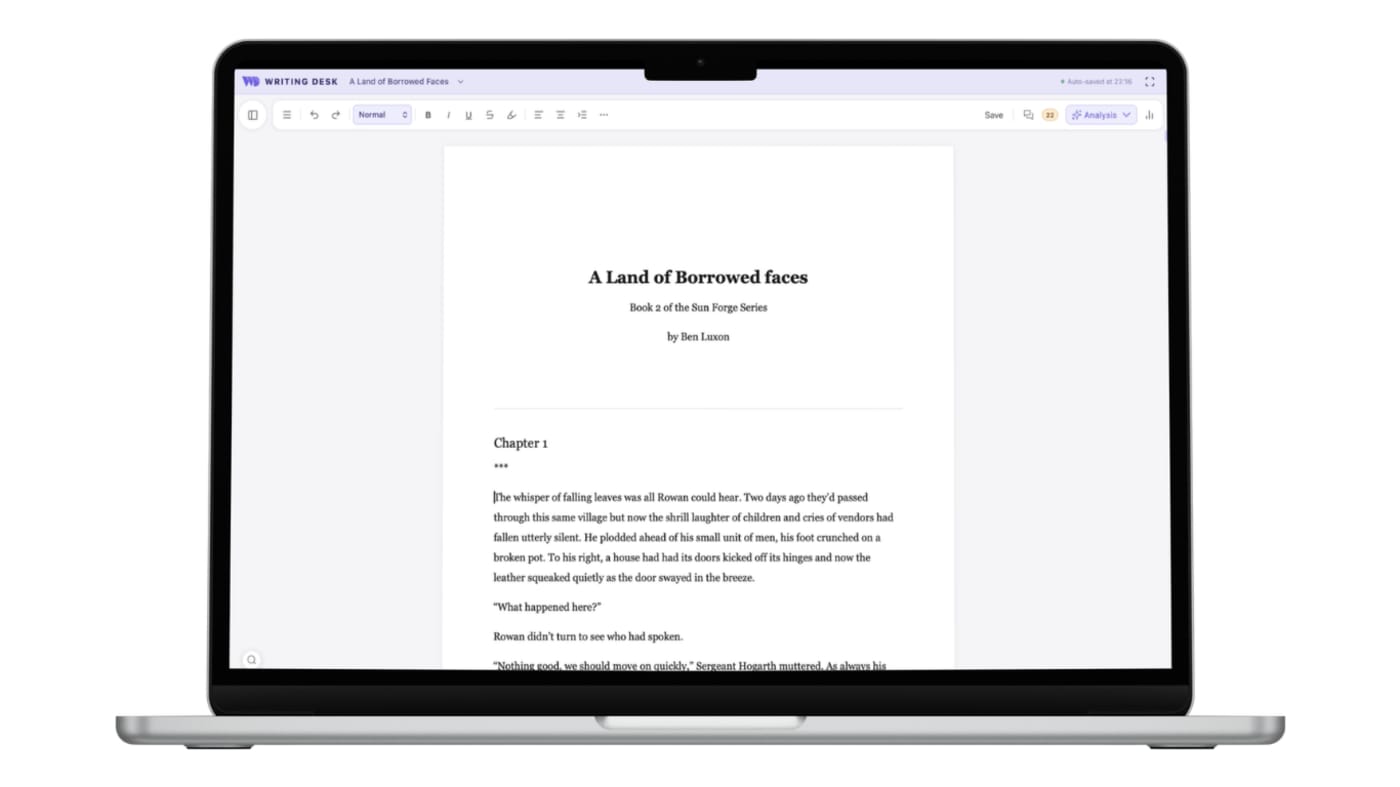
A ready-made writing desk instead of a toolkit to assemble
Three places where Writing Desk shortens the path from a blank page, or an existing draft, to a finished book.
Obsidian begins as a blank vault. Writing, planning and editing setups come from plugins you choose and configure.
Open a .docx or .md and start writing. Convert to a .wddoc project when you want the Story Plotter, Timeline, Resource Hub, Pad and chapter variants, already built to work together.
A long manuscript is a collection of notes you assemble into chapters.
A manuscript is one project with chapters, version history and chapter variants.
Proofreading and AI help arrive through community plugins.
Proofreader, Prose Analysis and the AI Editor are built in.
Converting a .docx or .md document to a .wddoc project makes a copy and leaves your original file as it is. How it works
At a glance
Writing Desk and Obsidian side by side.
| Feature | Obsidian | Writing Desk |
|---|---|---|
| Platforms | Mac, Windows, Linux, iOS and Android | Mac (macOS 13 Ventura or later), plus iPhone and iPad |
| Price | Free, including for commercial use. Optional Sync from $4 a month and Publish from $8 a month (billed yearly); optional $50 a year commercial licence | Free plan; paid plans on a monthly or annual subscription |
| Files | Local Markdown vaults | Markdown (.md) documents and .wddoc novel projects |
| Structure | Backlinks, graph view and plugins you assemble | Story Plotter, Story Board, Timeline and Resource Hub ready to use |
| Editing help | Community plugins | Proofreader, Prose Analysis, editorial AI review |
| AI | Through community plugins | Editorial AI that never writes your prose |
Details about Obsidian are accurate as of 6 October 2026, based on published reviews. Check obsidian.md for current prices and features.
See Writing Desk at work
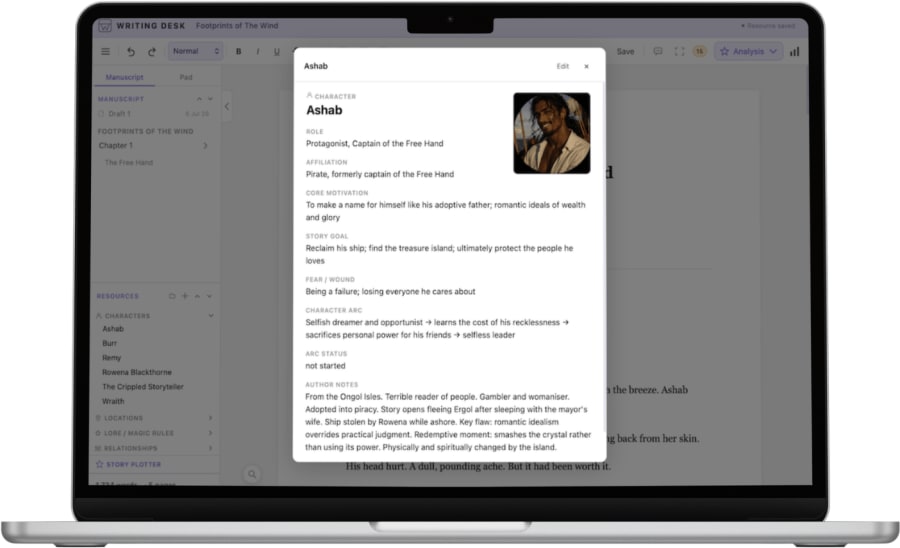
Character sheets
Keep every character's details in one place, beside the manuscript.
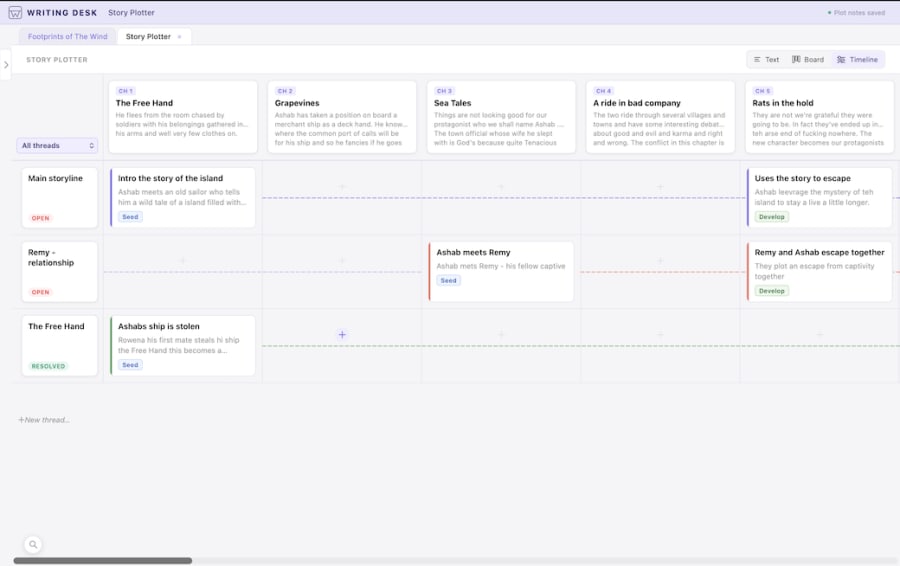
See the story on a timeline
Place scenes along a timeline and spot gaps in the plot.
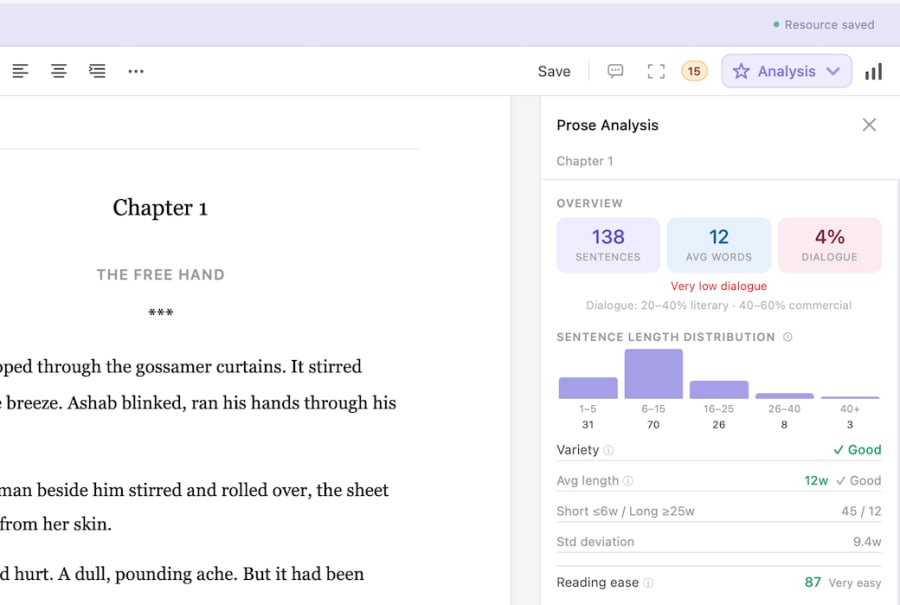
Prose Analysis
See sentence length, passive voice and other patterns in your own prose.
What each does well
What does Obsidian do well?
- A free, local-first knowledge base that grows with your research.
- Backlinks and a graph for connecting ideas.
- A large plugin ecosystem you can shape to your own workflow.
What does Writing Desk add?
- A novel workspace that works from the first launch, with no plugin setup.
- Story templates, a timeline and character and world sheets built to talk to each other.
- Prose and proofreading feedback inside the editor.
- A route from finished draft to typeset EPUB and print PDF.
Which one should you choose?
Choose Obsidian if you:
- Enjoy building your own system from plugins.
- Run a research-heavy knowledge base across many projects.
- Write on Windows, Linux or mobile.
Choose Writing Desk if you:
- Want a ready-made environment for a novel.
- Prefer editorial feedback built in over assembling plugins.
- Write on a Mac and want planning and drafting under one roof.
macOS 13 Ventura or later · No account required
Can you use Obsidian and Writing Desk together?
Yes. Many writers keep research and worldbuilding notes in Obsidian and write the manuscript in Writing Desk. Both work with plain Markdown files, so notes can move between them.
Common questions
Is Obsidian good for writing a novel?
It suits notes and research well. Many authors draft elsewhere and use Obsidian for the world around the book.
Does Writing Desk use Markdown?
Yes, for documents. Open a .md file, edit it, and it saves as Markdown.
Can I use Obsidian notes in Writing Desk?
Yes. Obsidian notes are Markdown files, and Writing Desk opens .md files as they are.
Try Writing Desk on your own manuscript.
Link a folder of your notes and start a project beside them.
macOS 13 Ventura or later · No account required