Writing Desk vs iA Writer
iA Writer is known for a clean writing surface and plain-text files you own. Writing Desk gives you the same open Markdown files and adds planning, editorial feedback and book formatting for the days a piece becomes a manuscript.
macOS 13 Ventura or later · No account required
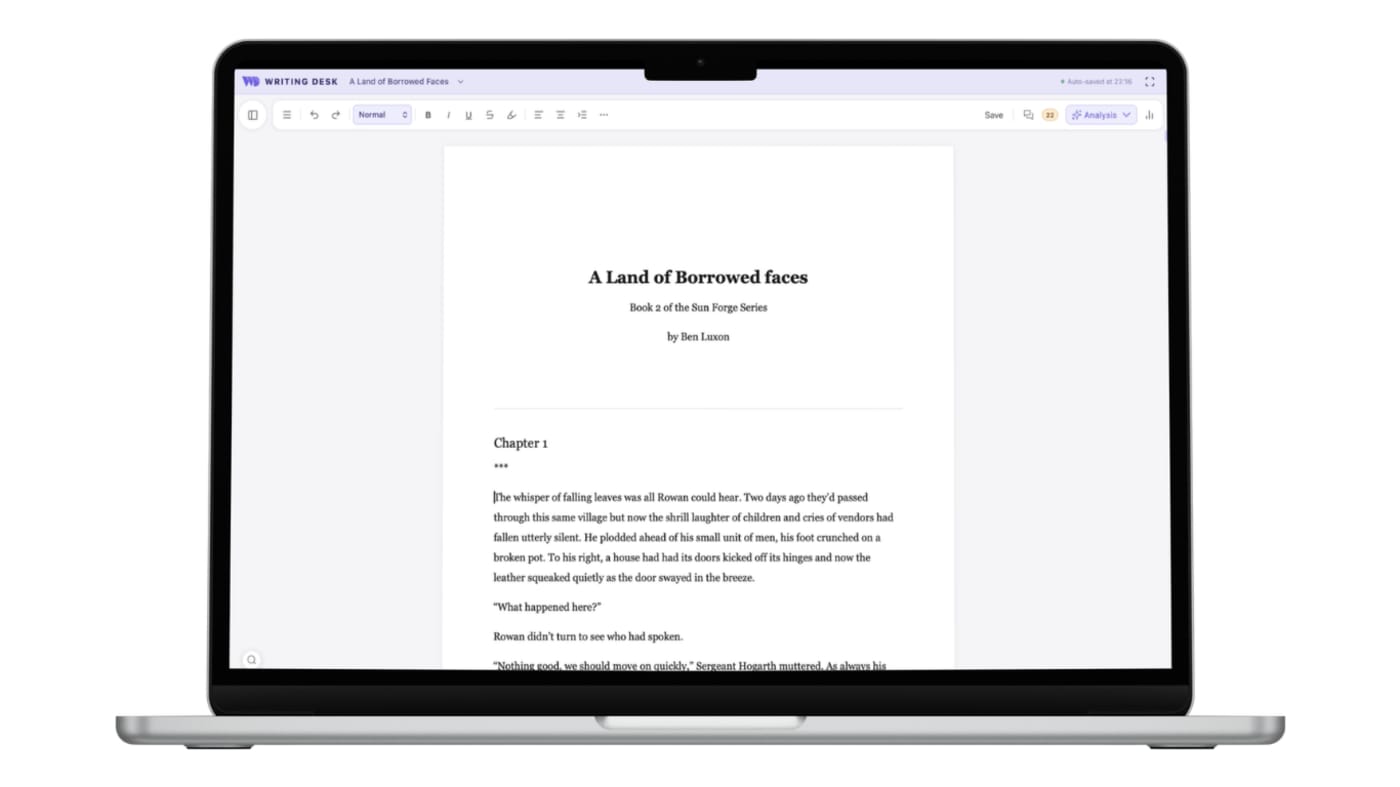
Keep your plain files and add the full toolkit when you want it
Three places where Writing Desk shortens the path from a blank page, or an existing draft, to a finished book.
iA Writer keeps the surface deliberately minimal, which leaves planning to other tools.
Open your .md files as they are, then convert any of them to a .wddoc project for the Story Plotter, Resource Hub, Pad and chapter variants.
Editorial feedback is up to you.
Proofreader, Prose Analysis and AI editorial review inside the editor, with every suggestion yours to accept or reject.
Exports to Markdown, PDF, HTML and Word give you the text, and book layout happens elsewhere.
Formatter typesets your manuscript to an EPUB and print PDF, with fonts, drop caps and scene breaks you choose.
Converting a .docx or .md document to a .wddoc project makes a copy and leaves your original file as it is. How it works
At a glance
Writing Desk and iA Writer side by side.
| Feature | iA Writer | Writing Desk |
|---|---|---|
| Platforms | Mac, iOS and Windows (the Android app was discontinued in 2024) | Mac (macOS 13 Ventura or later), plus iPhone and iPad |
| Price | One-time purchase paid per platform; $49.99 for Mac | Free plan; paid plans strating at $10 on an annual subscription |
| Files | Plain-text and Markdown files | Markdown (.md) for documents; .wddoc projects for novels |
| Focus | Focus mode and a minimalist interface | Distraction-free editor; hit 'shift + cmd + F' to hide everything but your words |
| Novel tools | Library and folders | Story Plotter, Timeline, Resource Hub, reference folder, version history, chapter variants |
| AI | Optional AI: proofread with Apple Intelligence or paste from other tools, with AI text shown in colour | Editorial AI for fast structural feedback and that never suggests or writes prose for you |
Details about iA Writer are accurate as of 6 October 2026, based on published reviews. Check ia.net for current prices and features.
See Writing Desk at work
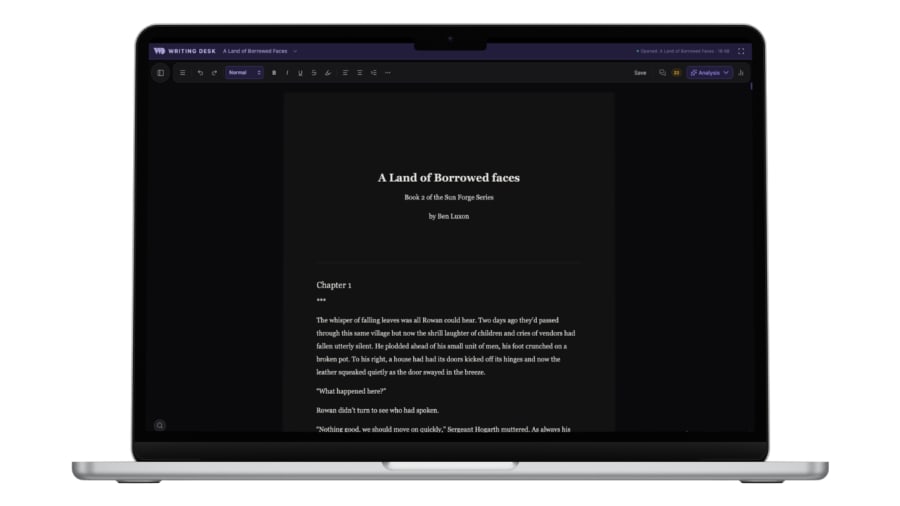
Light or dark mode
The same editor, with a dark mode for late sessions.
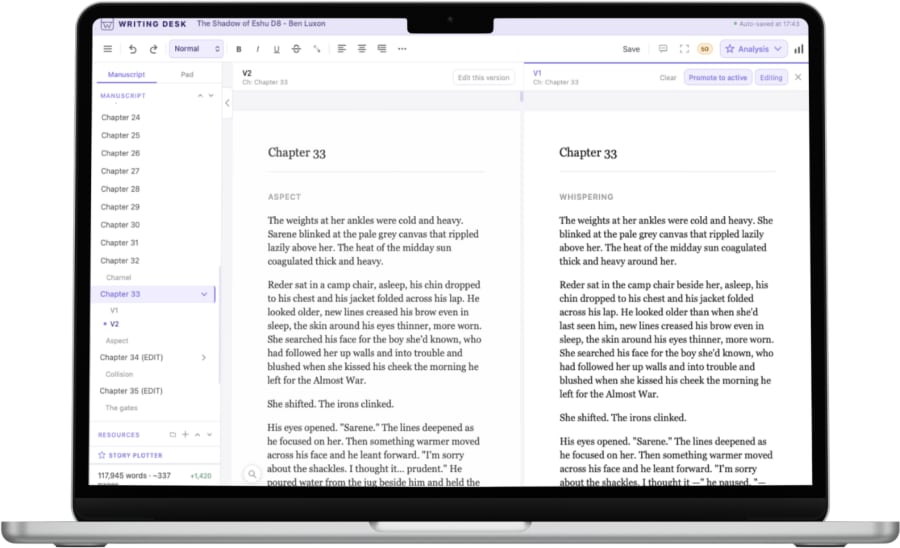
Chapter variants
Try a different version of a chapter without losing the first.
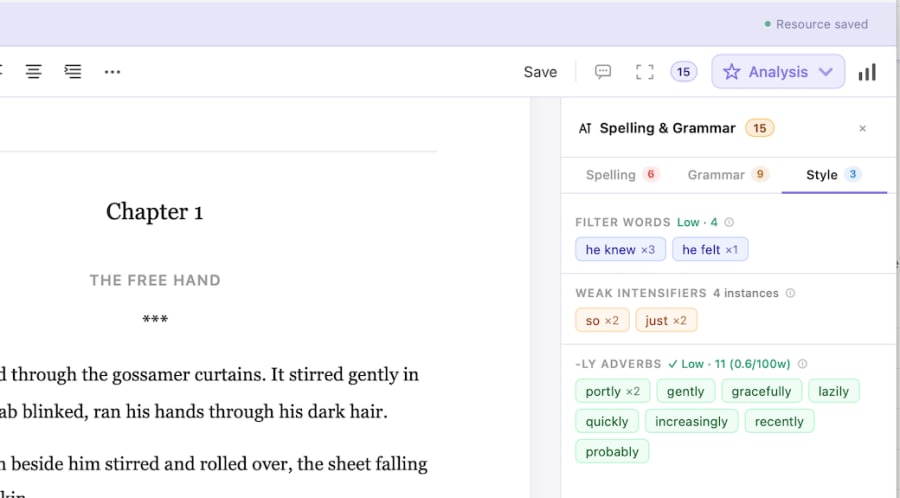
Spelling and grammar as you write
Proofreading suggestions in a side panel, beside your draft.
What each does well
What does iA Writer do well?
- Typography and restraint that suit people who want the page to disappear.
- Apps across Mac, iOS and Windows.
- One-time pricing per platform.
What does Writing Desk add?
- The same plain Markdown files, with a path to full projects when you need them.
- Editorial review of a document or chapter, with suggestions you accept or reject.
- Planning tools that stay out of the way until you need them.
- A typeset EPUB and print PDF when the manuscript is ready.
Which one should you choose?
Choose iA Writer if you:
- Write on Windows too.
- Want the leanest possible writing app.
- Keep notes and drafts as plain text across tools.
Choose Writing Desk if you:
- Work on a Mac and want Markdown plus novel-scale tools.
- Want proofreading and prose analysis in the same app as your draft.
- Plan to turn your writing into a finished book.
macOS 13 Ventura or later · No account required
Can you use iA Writer and Writing Desk together?
Yes. Both read and write Markdown, so files can move between them without conversion.
Common questions
Is Writing Desk a good Markdown editor for Mac?
Yes. It opens and saves .md files as they are, with a distraction-free editor. Convert a file to a .wddoc project when you want Pad, comments and the other project tools.
What does Writing Desk do that iA Writer does not?
It adds a Story Plotter, Timeline, Resource Hub, Prose Analysis and editorial AI review, which matter once a piece turns into a book.
Can I keep my iA Writer files?
Yes. Open them in Writing Desk as Markdown and they stay Markdown.
Try Writing Desk on your own manuscript.
Open one of your Markdown drafts and try the editing tools on it.
macOS 13 Ventura or later · No account required