Writing Desk vs Scrivener
Scrivener is the benchmark for writing tools for many writers with deep customisability. Writing Desk is a newer app for Mac, iPhone and iPad built around the same idea: one project that holds the plan, the draft, the research, and the finished book. The difference is in how much set up is required, and how much support you get along the way, from structure templates to editorial feedback to a typeset EPUB and print PDF.
macOS 13 Ventura or later · No account required
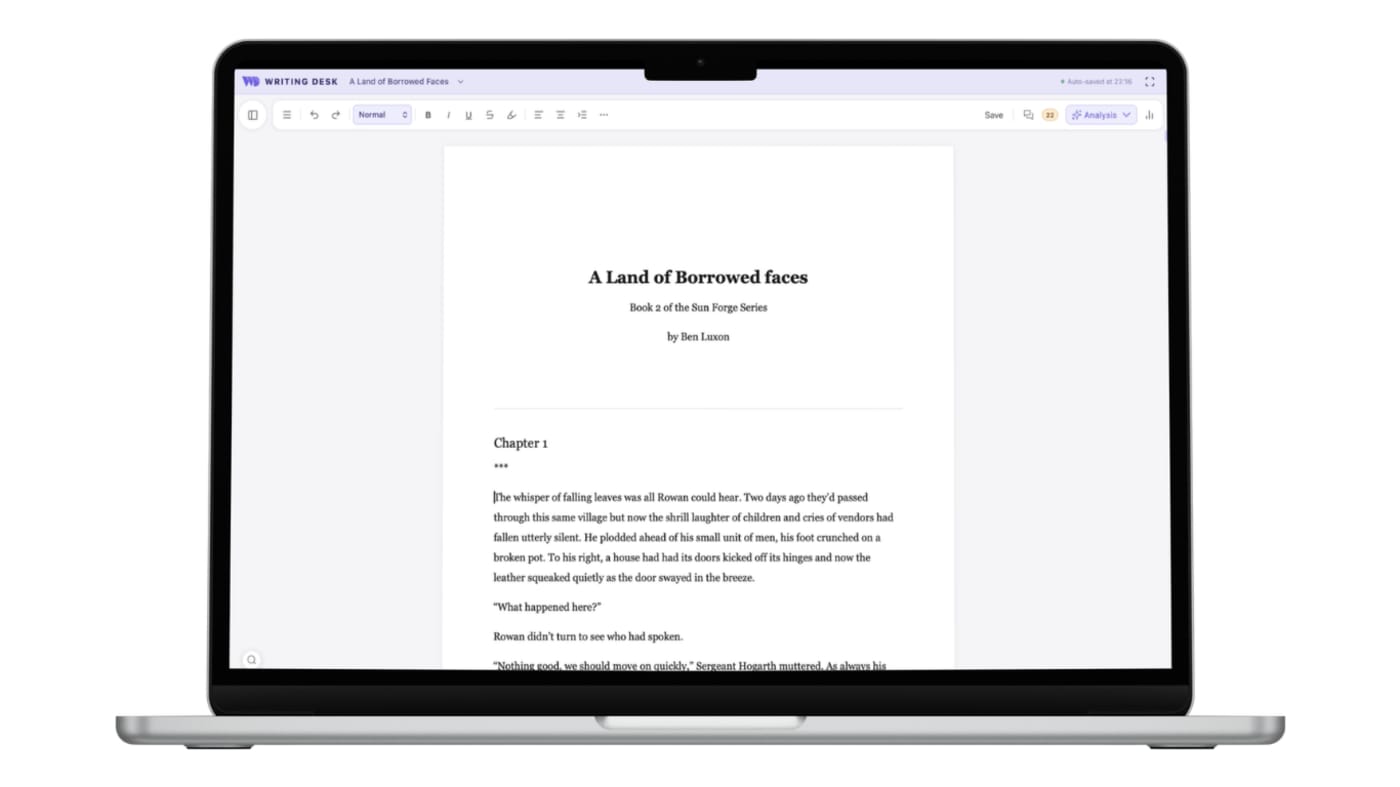
Start writing the moment you open it
Three places where Writing Desk shortens the path from a blank page, or an existing draft, to a finished book.
Setup takes time. You learn the binder, project templates, and compile settings before the writing flows.
Open a .docx or .md document and carry on writing. It opens and saves as it is. Convert it to a .wddoc project any time to unlock comments, the Resource Hub, Pad, the Story Plotter, chapter variants and more.
A finished book comes out through Compile, which has many settings to learn and get right.
Export .docx, .md, .txt or .pdf, then send the manuscript to Formatter for a typeset EPUB and print PDF, with the fonts, drop caps and scene breaks you choose.
For deeper feedback on your prose you'll need to export your document to another tool.
In Writing Desk our Spelling and Grammar and Prose Analysis sit beside your draft, and the AI Editor gives you high level structurual feedback on chapters when you need it.
Converting a .docx or .md document to a .wddoc project makes a copy and leaves your original file as it is. How it works
At a glance
Writing Desk and Scrivener side by side.
| Feature | Scrivener | Writing Desk |
|---|---|---|
| Platforms | Mac, Windows and iOS | Mac (macOS 13 Ventura or later), plus iPhone and iPad |
| Price | £55 one-time per desktop platform; iOS $23.99 and bundle pricing for multi-device at £88. 30-day free trial available. | Free plan with a 30-day Premium trial; paid plans on a monthly or annual subscription starting at £8/pm |
| Planning | Binder, corkboard and outliner | Story Plotter with 11 structure templates, Story Board and Timeline views, Resource Hub, and reference folder linked. |
| Editing | Snapshots for version history | Proofreader, Prose Analysis, AI Editor, version history, chapter variants |
| AI | None built in | Editorial AI for high level structural feedback. It reviews but never writes prose for you |
| Export | Compile system for DOCX, PDF, EPUB and more | Export to .docx, .md, .txt and .pdf, plus typeset EPUB and print PDF through Formatter |
Details about Scrivener are accurate as of 6 October 2026, based on published reviews. Check literatureandlatte.com for current prices and features.
See Writing Desk at work
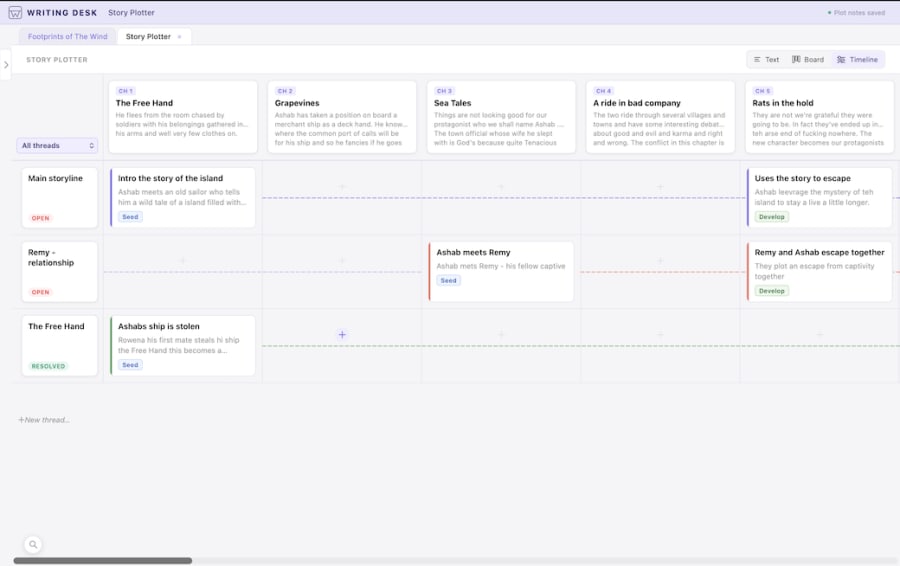
See the story on a timeline
Place scenes along a timeline and spot gaps in the plot.
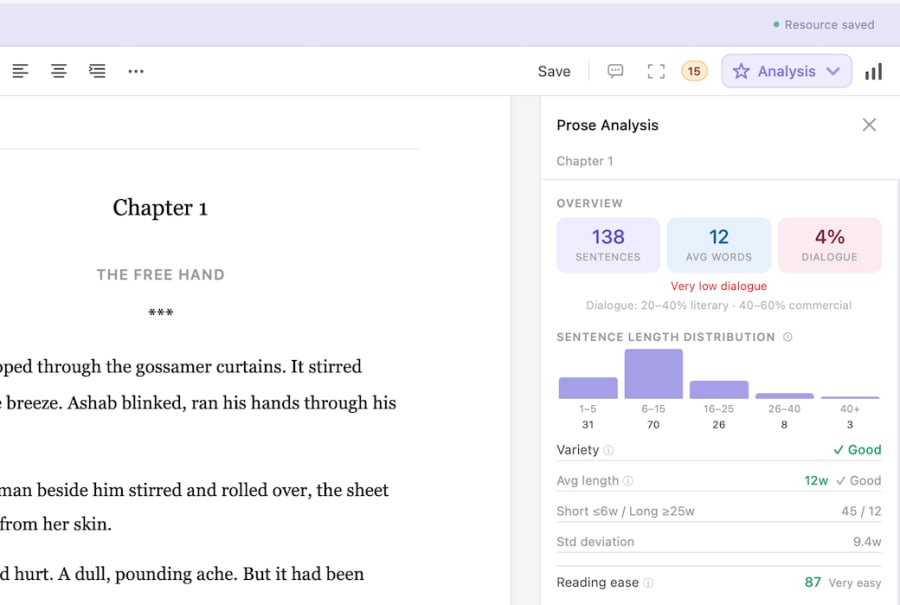
Prose Analysis
See sentence length, passive voice and other patterns in your own prose.
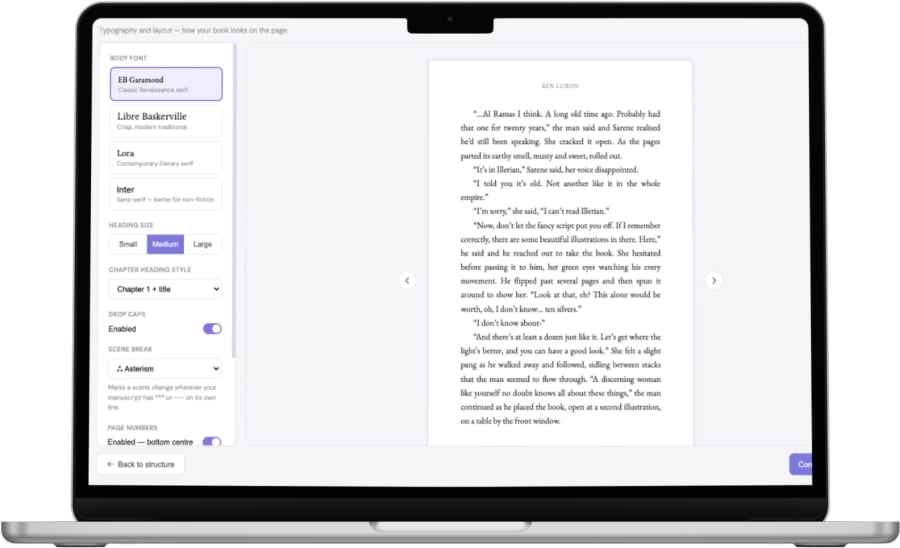
Typeset your book in Formatter
Choose fonts, headings, drop caps and scene breaks, then export an EPUB and print PDF.
What each does well
What does Scrivener do well?
- A mature, deeply customisable project structure that suits long, research-heavy manuscripts.
- Windows and iOS versions, so one licence family covers every device you write on.
- A one-time purchase with no subscription.
- Compile gives granular control over the shape of your output once you have learned it.
What does Writing Desk add?
- Story structure built in: pick from eleven templates, from Three-Act and Save the Cat to genre arcs for Romance, Mystery, Thriller, Fantasy, Horror and YA.
- Editorial feedback in the same window as your draft, with every suggestion yours to accept or reject.
- A manuscript that stays on your Mac, with AI text sent for processing and discarded.
- A range of export formats, including docx, markdown, and a full typesetting tool for EPUB and print ready PDFs when the draft is ready.
Which one should you choose?
Choose Scrivener if you:
- Write on Windows as well as Mac.
- Want a one-time purchase and no subscription.
- Have a large research library and enjoy tuning every compile setting.
Choose Writing Desk if you:
- Write on a Mac and want planning, editing, and typesetting in one app.
- Like having structure templates and a timeline to hand from the first page.
- Want editorial AI feedback that leaves the prose to you.
macOS 13 Ventura or later · No account required
Can you use Scrivener and Writing Desk together?
Yes. Compile your Scrivener project to .docx and open it in Writing Desk. It opens and saves as a .docx, and you can convert it to a .wddoc project any time to use comments, the Resource Hub, Pad, the Story Plotter and chapter variants. Writing Desk exports .docx too, so the draft can go back to Scrivener.
Common questions
Is Writing Desk a Scrivener alternative for Mac?
Yes, for novelists who write on a Mac. It covers planning, drafting, editing and book formatting in one app. If you need Windows, Scrivener is the better fit.
Does Writing Desk have a corkboard?
Writing Desk has a Story Board view and a Timeline alongside the Story Plotter, so you can see and rearrange scenes visually.
Can I try Writing Desk without paying?
Yes. The free plan covers the editor, Story Plotter, reference folders and Proofreader, and new accounts get a 30-day Premium trial.
Try Writing Desk on your own manuscript.
Bring a chapter or a whole draft and see how the planning and editing tools feel in your own pages.
macOS 13 Ventura or later · No account required