Novel editing software that helps you see your work clearly.
Writing Desk's editorial tools helps you iterate, experiment, and edit boldy with version control and structured editorial feedback on your prose whenever you need it.
Download for Mac Watch demo
Writing Desk will never generate prose on your behalf. Every word in your manuscript is yours. These tools are designed to help you see your work more clearly so you can make it better yourself. How we handle your words →
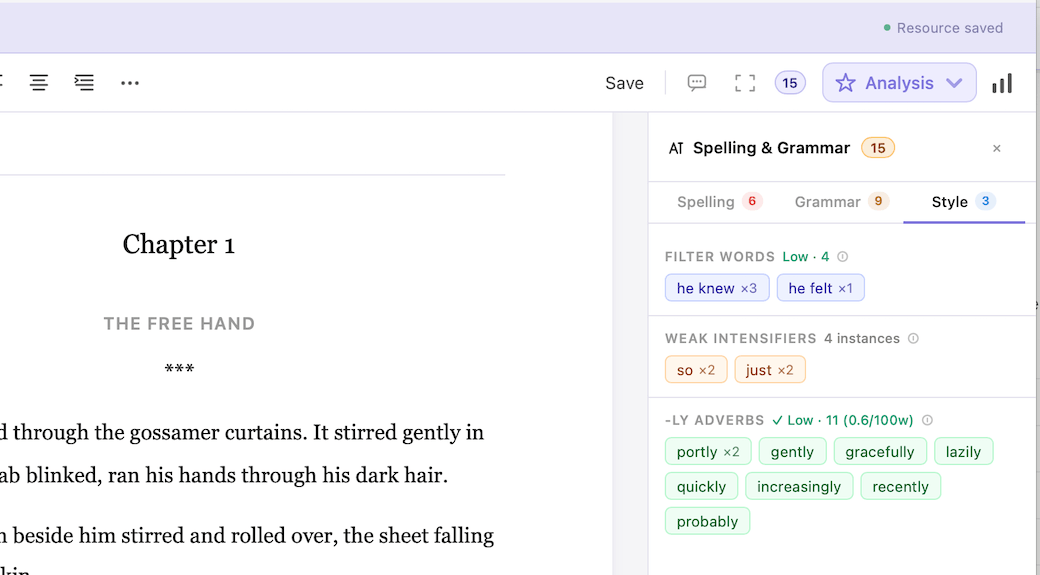
Catch errors as you write.
Grammar, spelling, and style flagged inline as you type. Suggestions appear on hover, applied in a click. Powered by LanguageTool, running locally on your machine.
- Inline grammar and spelling correction
- Style suggestions, incl. passive voice, wordiness, punctuation
- Runs locally via LanguageTool
- Works offline, always available
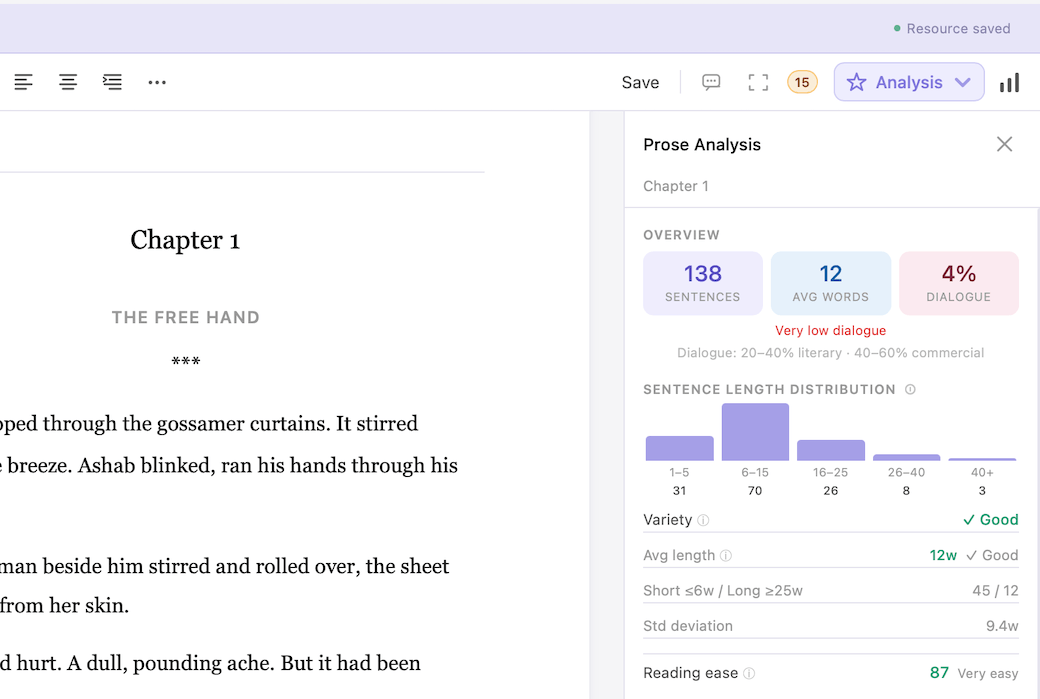
Make your writing more impactful.
Prose Analysis shows you where passive voice creeps in, where sentence rhythm loses variety, where filter words are distancing the reader from the scene.
- Passive voice frequency across the chapter
- Sentence length variation and rhythm
- Filter word density and critch words
- Weak intensifier and adverb counts
- Readability score
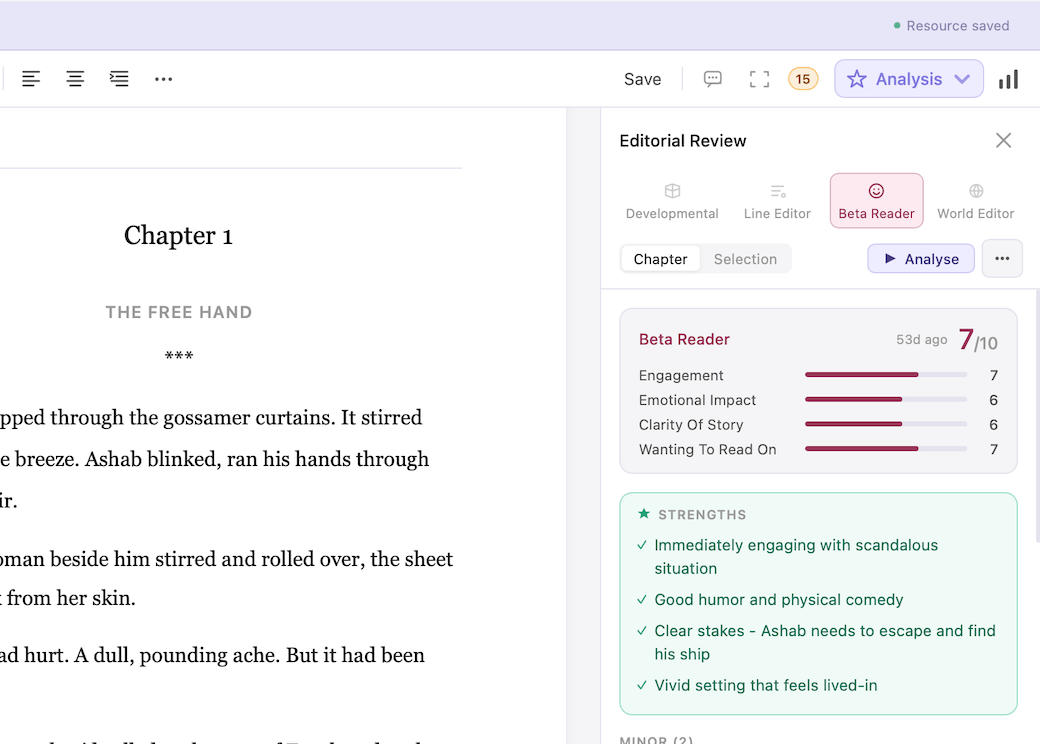
Structured feedback when you need it.
The AI Editor can't replace a good human editor, but it can give you detailed chapter-level feedback across four editorial lenses, on demand, in minutes to help you make your writing as good as it can be.
- Developmental — structure, pacing, character arc. Does the chapter do what it needs to do?
- Line edit — prose quality, clarity, rhythm. Is every sentence earning its place?
- Beta reader — first-read experience. What lands, what confuses, what loses momentum?
- World consistency — checked against your own Resource Hub entries.
When the draft is done, see the whole picture.
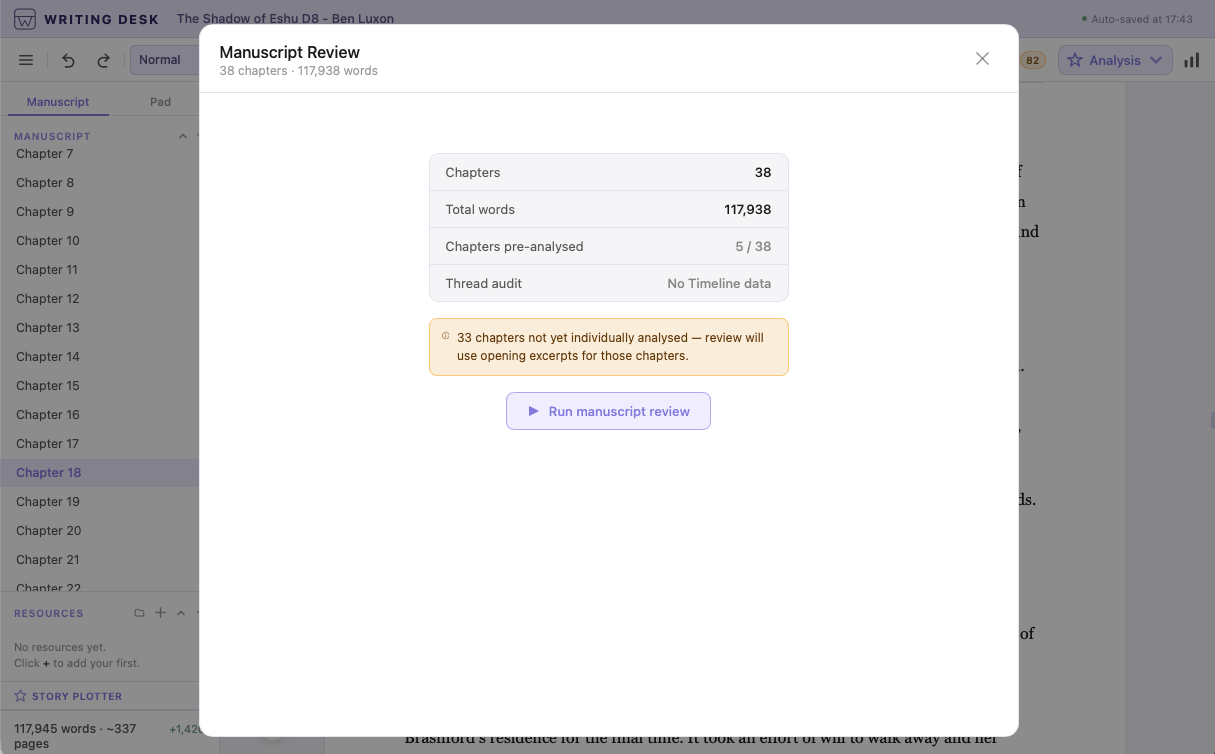
Run a complete review across all four editorial modes against your entire manuscript. Returns a chapter-by-chapter breakdown with prioritised feedback — so you know not just what needs work, but what to tackle first.
- Structure, prose, reader experience, and world consistency
- Chapter-by-chapter breakdown across the full manuscript
- Checked against your own Resource Hub entries
Experiment freely. Your original always intact.
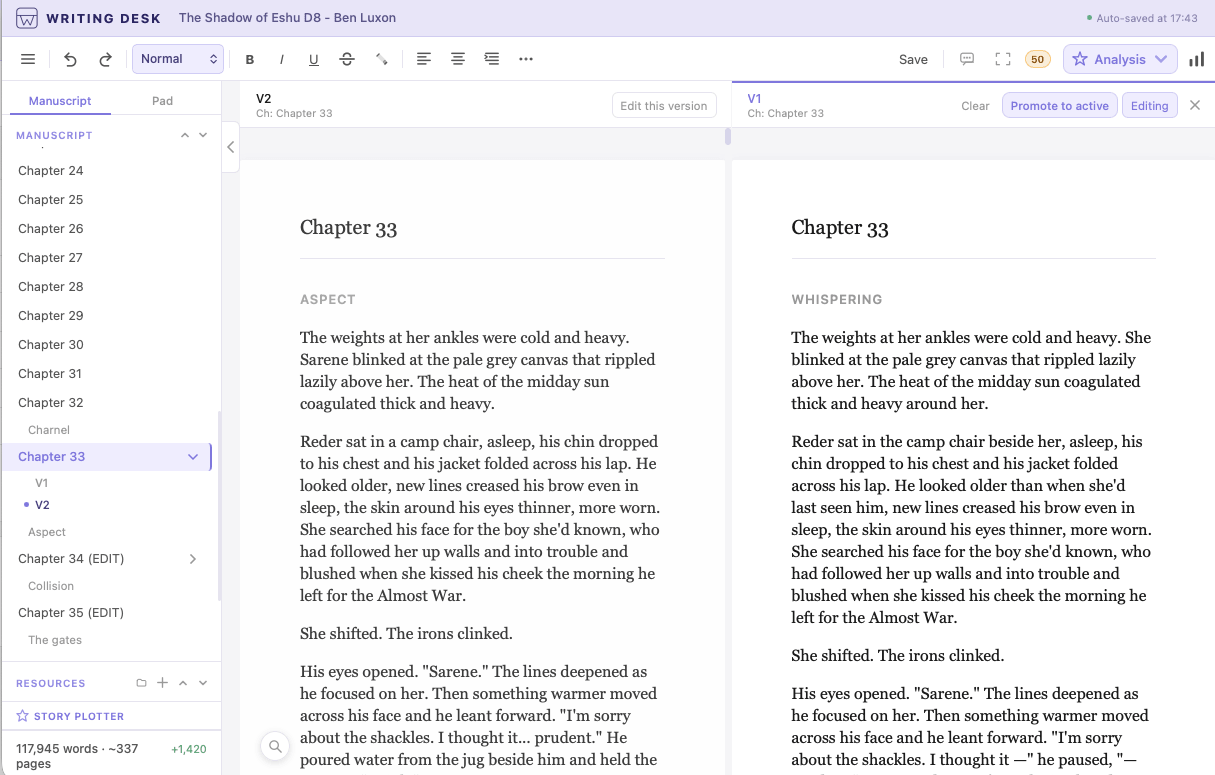
Want to rewrite a chapter from a different point of view? Try a completely different opening? Chapter Variants give you a clean copy to work in, sitting alongside your original.
- Create a variant of any chapter with one click
- Variants sit alongside your manuscript, never replacing it
- Compare variants side by side before deciding
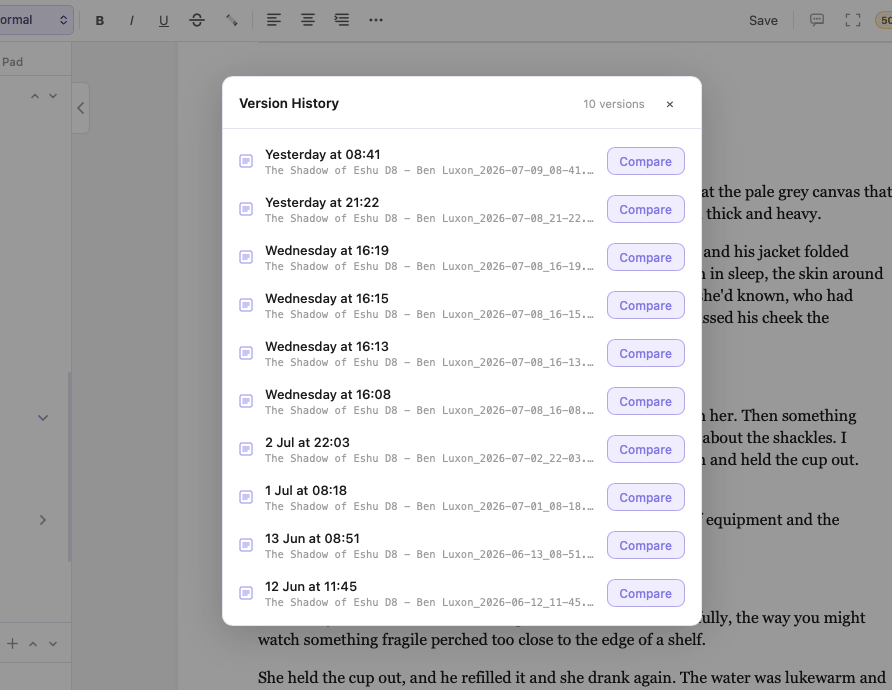
Edit boldly, knowing you can always go back.
Writing Desk saves automatic snapshots as you work. Name the versions that matter. Restore any of them at any time.
- Automatic snapshots saved continuously as you write
- Name milestones — "Before chapter three rewrite"
- Restore any version at any time