Writing Desk vs Novelcrafter
Novelcrafter is a web-based writing studio built around the Codex, a wiki for your story, and scene-by-scene planning. Writing Desk is a Mac first app, also on iPhone and iPad, that brings your story bible, plot structure and manuscript together in one distraction-free place on your own computer. Both treat a novel as a connected project; they differ in how you organise the story, where you write it, and what happens when you're ready to publish.
macOS 13 Ventura or later · No account required
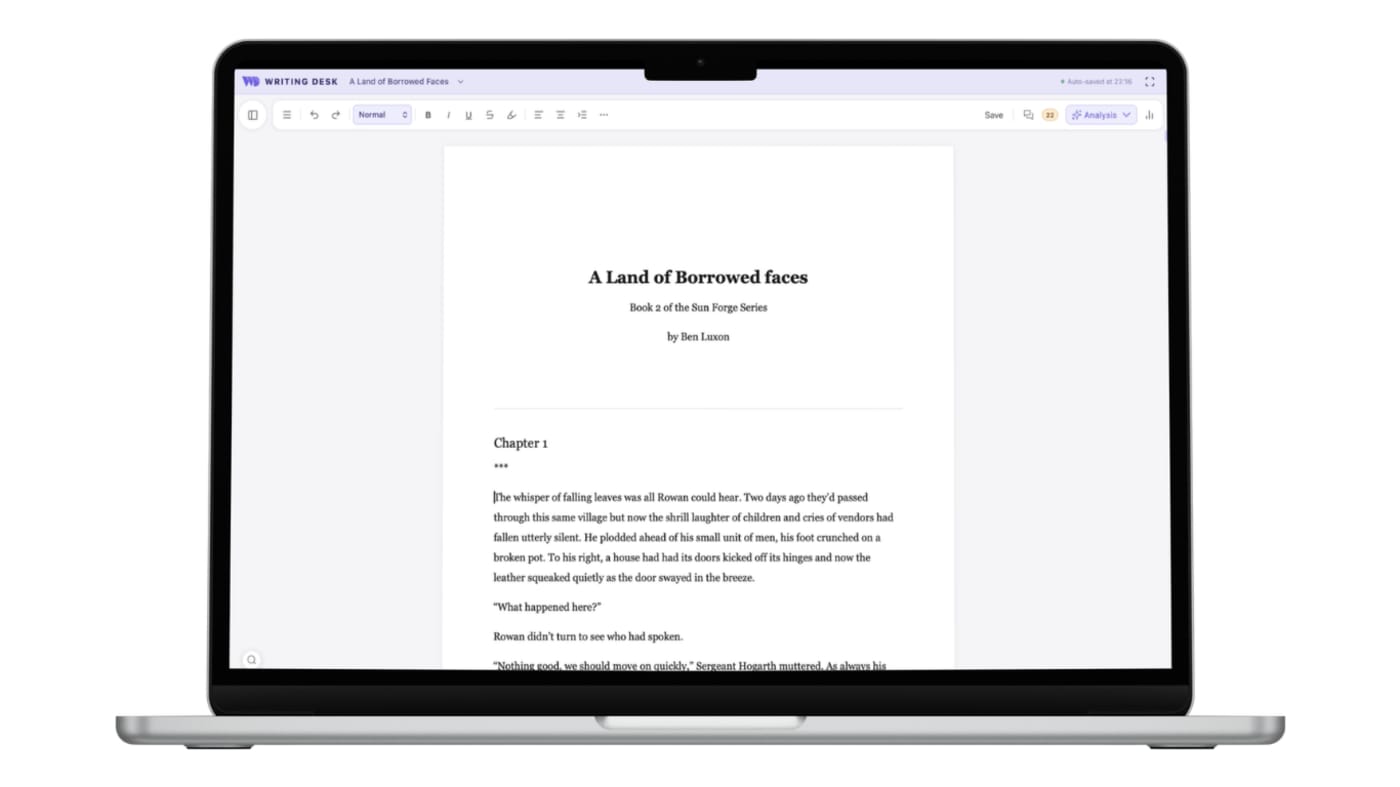
A story bible, a plot structure, and a quiet place to write
Three places where Writing Desk gives you a different way to build and write a novel.
The Codex is a wiki of entries that link automatically as you write.
The Resource Hub holds structured entries for characters, locations, lore and factions, with character sheets and images, organised in your project beside the manuscript.
Planning happens scene by scene, with scene beats and a matrix view.
Start from one of eleven structure templates in the Story Plotter, then see the shape of the whole book on the Story Board and the Timeline.
Novelcrafter runs in your browser, so you write inside a web app and your manuscript lives in an online service.
A distraction-free editor in a local Mac first app. Your manuscript is stored on your Mac, and spelling, grammar and Prose Analysis run locally.
Converting a .docx or .md document to a .wddoc project makes a copy and leaves your original file as it is. How it works
At a glance
Writing Desk and Novelcrafter side by side.
| Feature | Novelcrafter | Writing Desk |
|---|---|---|
| Platforms | Web browser | Mac (macOS 13 Ventura or later), plus iPhone and iPad |
| Price | Four tiers from $4 to $20 a month. Bring-your-own AI starts at the $8 tier, with AI usage billed by your provider. 21-day trial | Free plan with a 30-day Premium trial; paid plans include AI credits and start at $10 per month on an annual plan |
| Story bible | Codex wiki with automatic linking | Resource Hub with structured entries for characters, locations, lore and factions |
| Planning | Scene beats and a matrix view | Story Plotter with 11 structure templates, Story Board and Timeline |
| Writing environment | Browser-based editor | Distraction-free editor in a local Mac first app |
| Your manuscript | Stored in the cloud service | Stored locally on your Mac |
| Collaboration | Real-time on the top tier | Comments and suggested edits through Formatter |
| AI | Bring your own key to many models; drafting and rewriting from beats | Optional editorial reviews and research help; never writes your prose |
Details about Novelcrafter are accurate as of 6 October 2026, based on published reviews. Check novelcrafter.com for current prices and features.
See Writing Desk at work
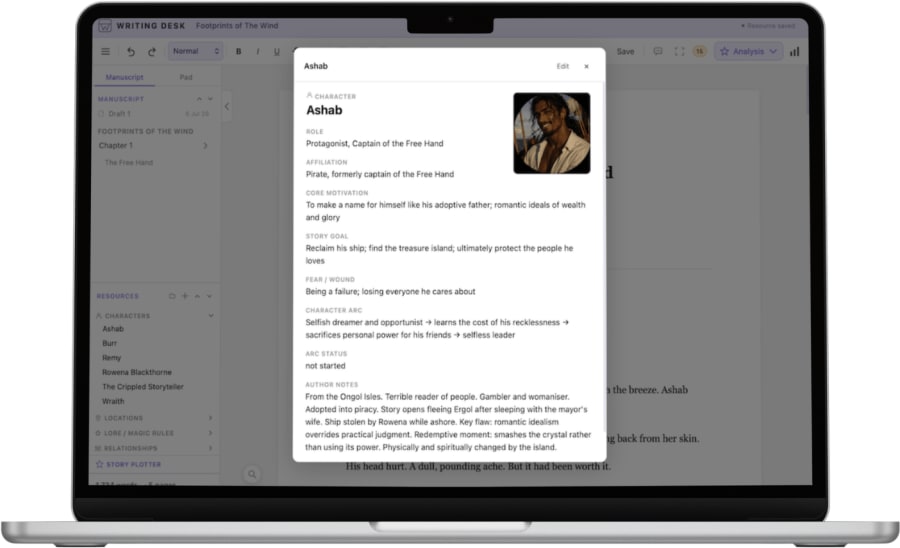
Character sheets
Keep every character's details in one place, beside the manuscript.
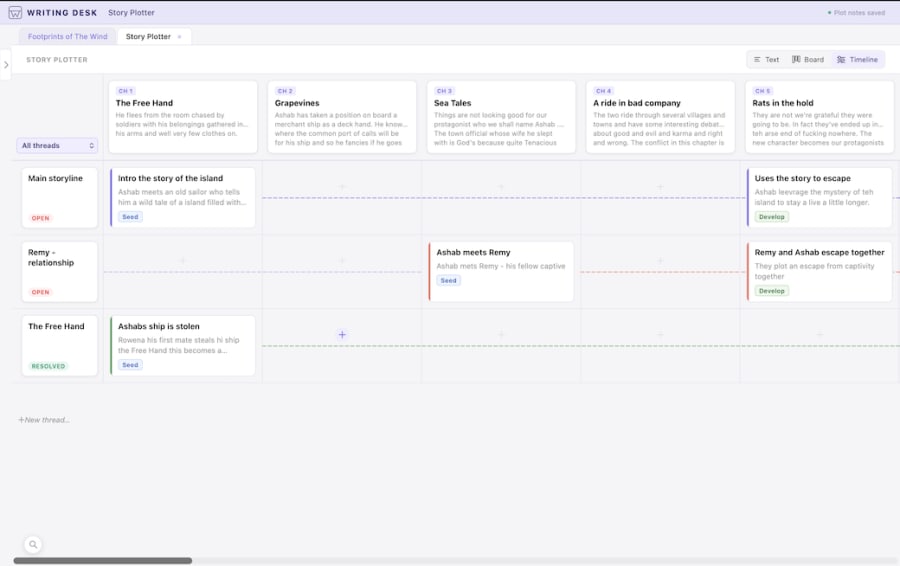
See the story on a timeline
Place scenes along a timeline and spot gaps in the plot.
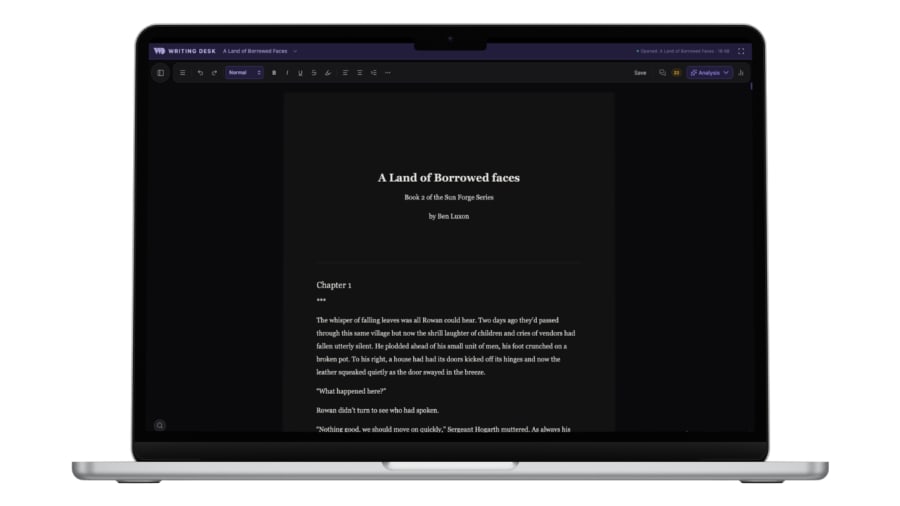
Light or dark mode
The same editor, with a dark mode for late sessions.
What each does well
What does Novelcrafter do well?
- A deep Codex that links entries automatically as you write.
- Scene beats and a matrix view for planning scene by scene.
- Runs in any browser, on any computer, with real-time collaboration on its top tier.
- A choice of AI models and prompts you can edit, if you want AI in your workflow.
What does Writing Desk add?
- A structured Resource Hub for characters, locations, lore and factions, beside your manuscript.
- Eleven structure templates in the Story Plotter, plus Story Board and Timeline views.
- A distraction-free editor in a native Mac app, with your manuscript stored on your Mac.
- Proofreading and Prose Analysis that run locally with no usage limit.
- A generous free tier and all-inclusive paid tiers, with optional editorial AI that never writes prose. AI is called transiently and your work is never used to train models.
Which one should you choose?
Choose Novelcrafter if you:
- Plan scene by scene with beats and a matrix view.
- Want a wiki-style Codex that links automatically as you type.
- Want AI to help draft scenes from your beats, and like choosing and swapping models.
- Need a browser-based tool on Windows or Linux.
Choose Writing Desk if you:
- Want a structured Resource Hub, plot templates and a timeline in one project.
- Prefer a distraction-free offline editor and a manuscript stored on your own Mac.
- Want to write every sentence yourself, with AI only for feedback, if at all.
- Want a predictable plan instead of a separate AI bill.
- Want a tool that can also export your work to epub and print ready PDF's.
macOS 13 Ventura or later · No account required
Can you use Novelcrafter and Writing Desk together?
Yes. Both export .docx and Markdown, so a manuscript can move between them. Writing Desk opens .docx and .md files as they are, so an export from Novelcrafter is ready to carry on writing.
Common questions
How does the Resource Hub compare with the Codex?
Both keep your characters, locations and lore beside the manuscript. The Codex is a wiki that links entries automatically as you type. The Resource Hub holds structured entries such as character sheets, locations, lore and factions, organised in your project.
Does Writing Desk have scene beats?
Writing Desk plans with eleven structure templates in the Story Plotter, plus a Story Board and a Timeline. You can see where each scene sits in the structure of the whole book, and you write the scenes yourself.
Can I use Writing Desk without AI?
Yes. The AI features are optional editorial tools, and the free plan covers the editor, Story Plotter and Proofreader.
Which is cheaper?
Writing Desk has a generous free tier. Novelcrafter’s tiers start lower, but AI usage is billed separately, which can quickly push your monthly bill above Writing Desk’s all-inclusive plans.
Can I use Writing Desk on Windows or in a browser?
Writing Desk runs on macOS 13 Ventura or later, with a mobile app for iPhone and iPad. If you write on Windows or Linux, Novelcrafter’s browser app is the better fit.
Try Writing Desk on your own manuscript.
Bring a chapter or a whole draft and see how the story bible, plot tools and editor feel in your own pages.
macOS 13 Ventura or later · No account required