Writing Desk vs ProWritingAid
ProWritingAid checks grammar and style and runs detailed reports on your writing, across the apps you already use. Writing Desk builds the checking into the place you write, with a Proofreader, local Prose Analysis and editorial AI reviews alongside your plot and notes.
macOS 13 Ventura or later · No account required
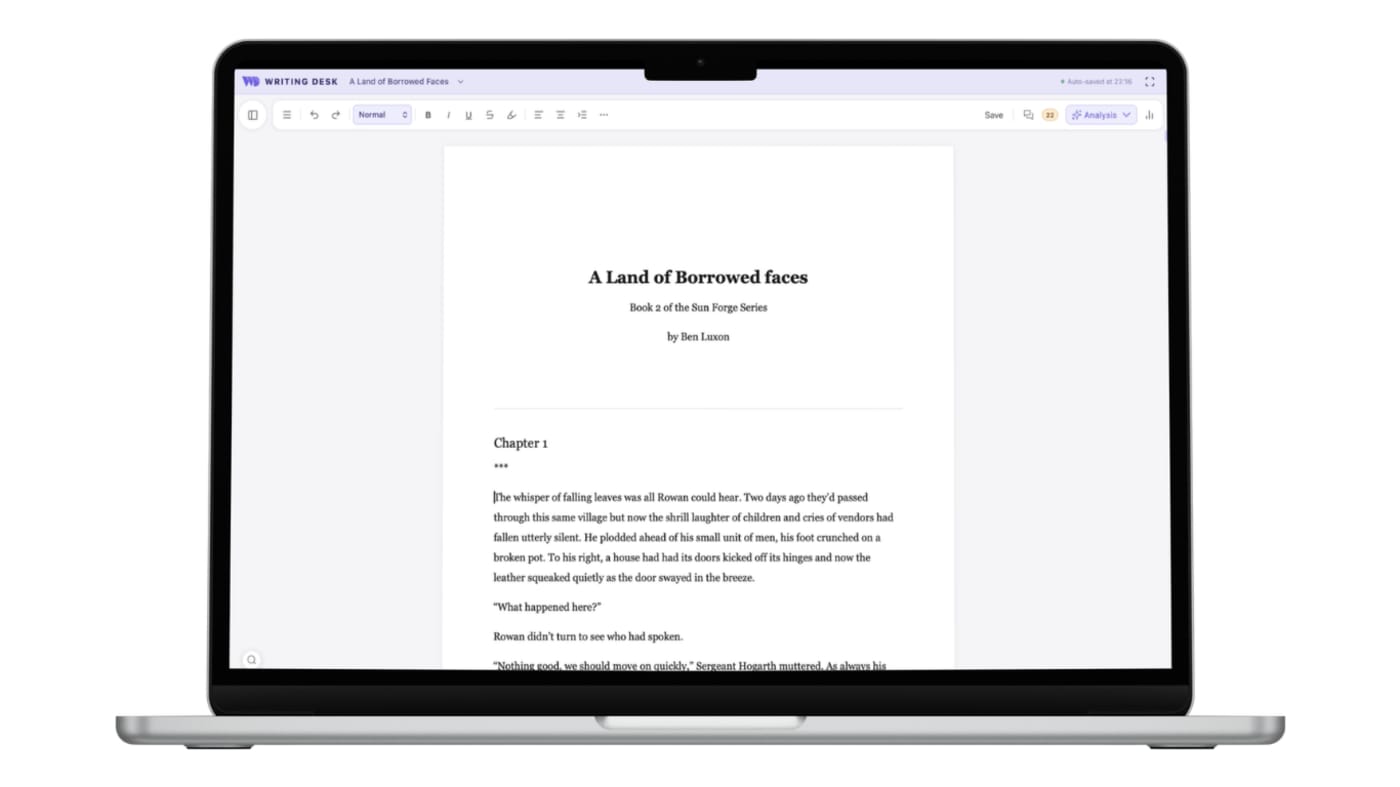
Checking built into the place you write
Three places where Writing Desk shortens the path from a blank page, or an existing draft, to a finished book.
ProWritingAid has a built in wirintg environment, but it's clunky and filled with distractions. It works best as a browser extension or similar running spelling checks inside other apps.
Proofreader and Prose Analysis sit beside your draft in the editor.
The reports are strongest on the text itself: style, repetition and readability.
Story Plotter, Timeline and Resource Hub for structure, plus AI Editor chapter reviews.
Full reports sit on a paid plan, and whole-book reports use Story Credits, from $25 each.
Proofreader is on the free plan, and Prose Analysis runs on your Mac with no usage limit on paid plans.
Converting a .docx or .md document to a .wddoc project makes a copy and leaves your original file as it is. How it works
At a glance
Writing Desk and ProWritingAid side by side.
| Feature | ProWritingAid | Writing Desk |
|---|---|---|
| Platforms | Web, desktop and integrations for Word, Google Docs, Scrivener and Chrome | Mac (macOS 13 Ventura or later), plus iPhone and iPad |
| Price | Pro-writingAid does have a free plan but it is very limited, allowing you to only check the first 500 words of any document. Plans then start at $30 a month or $120 a year; Premium Pro $36 a month or $144 a year; lifetime options | Wriring Desk has a generous free plan; paid plans start at $10 per month on an annual subscription |
| Checks | They offer best in class grammar and spell-checking. | Grammar and spell-checking through Language Tool integration, along with custom buitl style checks and Prose Analysis (sentence structure, passive voice) |
| AI | AI rewrite suggestions | Editorial AI chapter reviews; never writes your prose |
| Writing environment | A distraction fuiilled online writing environment and an extension that works inside other apps | Distraction free writing environments with a full novel workspace including plotter, timeline, and linked resources |
| Local processing | Check ProWritingAid's policy | Spelling, grammar, and Prose Analysis runs on your Mac and is never metered. AI calls are transient and never used to train models. |
Details about ProWritingAid are accurate as of 6 October 2026, based on published reviews. Check prowritingaid.com for current prices and features.
See Writing Desk at work
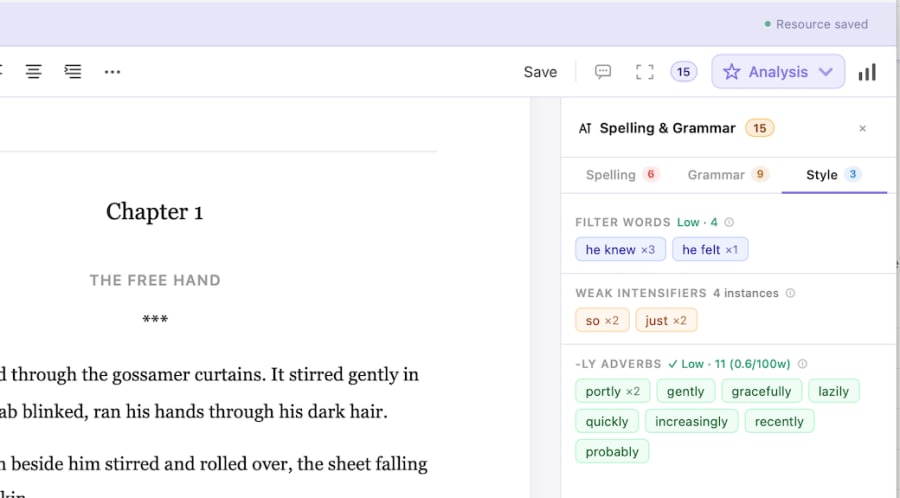
Spelling and grammar as you write
Proofreading suggestions in a side panel, beside your draft.
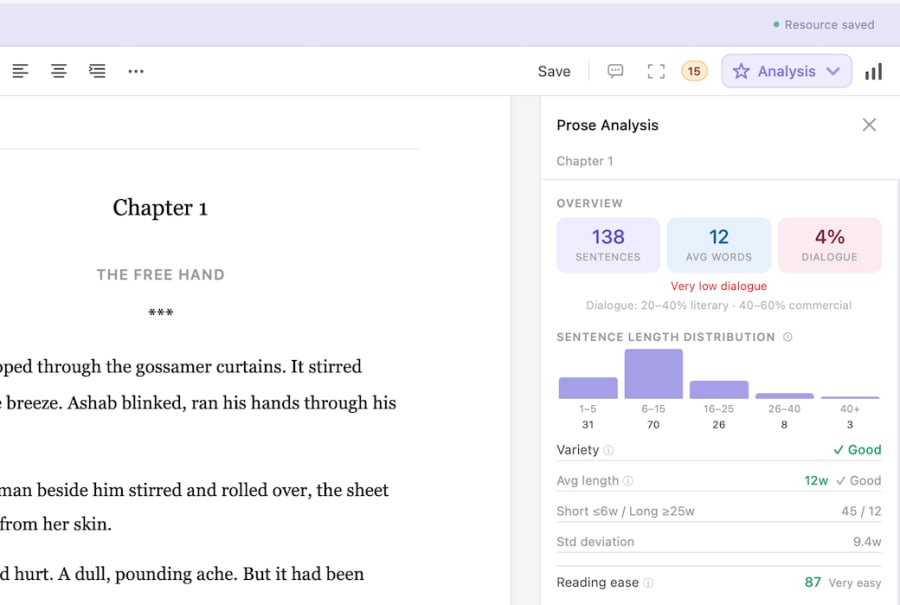
Prose Analysis
See sentence length, passive voice and other patterns in your own prose.
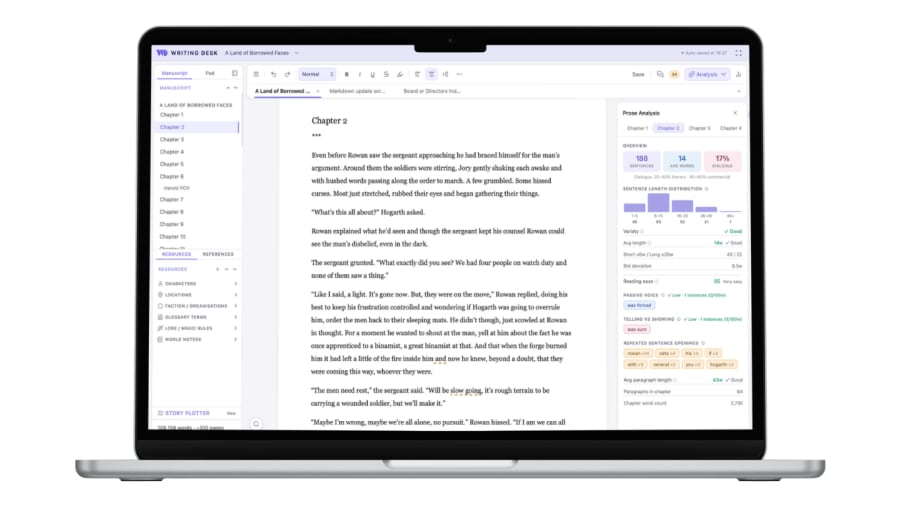
Everything beside your chapter
Plot notes, resources and editorial review open next to the page you are writing.
What each does well
What does ProWritingAid do well?
- Works across Word, browsers and other tools you already use.
- A long list of reports on style, pacing and repetition.
- Strong brand recognition among self-editing authors.
What does Writing Desk add?
- Editing tools that sit beside your plot, timeline and notes.
- Spelling, grammmar, and custom Prose Analysis that has no usage limit.
- Chapter reviews through four editorial modes.
- One app from first draft to a typeset book.
Which one should you choose?
Choose ProWritingAid if you:
- Write in Word or Google Docs and want a checker across all of them.
- Want the widest set of style reports.
- Work on Windows.
Choose Writing Desk if you:
- Want a distraction free editor
- Want plotting, drafting, and editing in one Mac app.
- Prefer editorial feedback on structure and story as well as sentences.
- Want local analysis of your prose.
macOS 13 Ventura or later · No account required
Can you use ProWritingAid and Writing Desk together?
Yes. Run ProWritingAid on an exported .docx if you want its reports as a second opinion.
Common questions
Is Writing Desk a ProWritingAid alternative?
For Mac novelists who want editing built into their writing app, yes.
Does Writing Desk check grammar?
Yes. The Proofreader covers spelling and grammar, and style checks flag filter words, passive voice, showing vs telling, and adverb usage.
Are prose checks free?
The Proofreader and style checks are on the free plan. Prose Analysis is on paid plans and runs locally.
Try Writing Desk on your own manuscript.
Run Prose Analysis on a finished chapter and compare notes.
macOS 13 Ventura or later · No account required