Writing Desk vs Ulysses
Ulysses is a calm, Apple-native place to keep everything you write in one library. Writing Desk is a writing app for Mac, iPhone and iPad that opens Markdown files for everyday documents and gives novels and longer projects their own planning and editorial tools. If you write both short pieces and books, the two cover similar ground from different directions.
macOS 13 Ventura or later · No account required
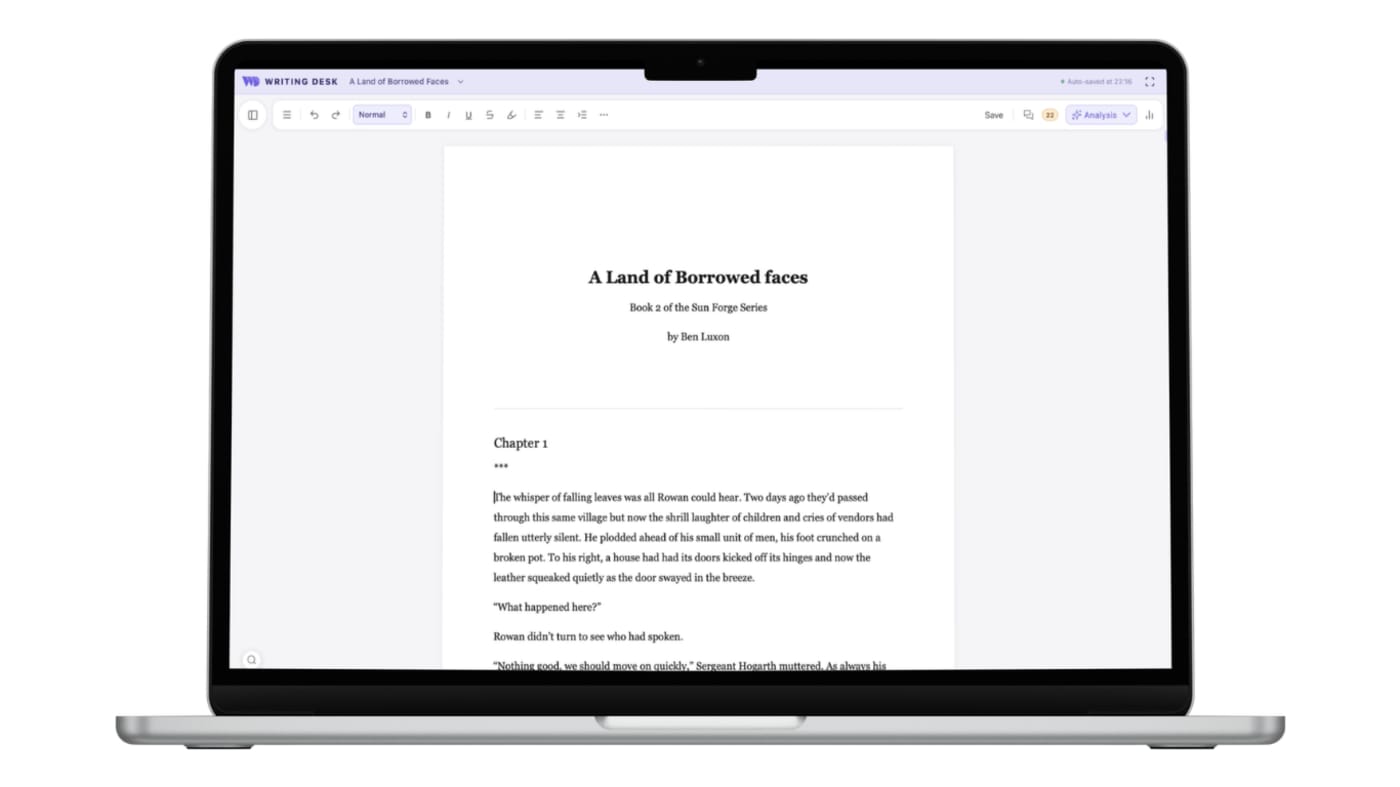
Write short pieces and a whole novel in one app
Three places where Writing Desk shortens the path from a blank page, or an existing draft, to a finished book.
Ulysses is built around a library of sheets. Story structure, a timeline and character notes come from other tools.
Convert any document to a .wddoc project to unlock the Story Plotter, Timeline, Resource Hub, Pad and chapter variants, all working together.
Your writing lives in the Ulysses library and syncs through iCloud.
Your .md and .docx files open and save as they are, in the folder where they already live.
Ulysses has a grammar and style check built in, and feedback on structure and argument comes from outside the app.
Proofreader, Prose Analysis and AI editorial review sit beside your draft, with every suggestion yours to accept or reject.
Converting a .docx or .md document to a .wddoc project makes a copy and leaves your original file as it is. How it works
At a glance
Writing Desk and Ulysses side by side.
| Feature | Ulysses | Writing Desk |
|---|---|---|
| Platforms | Mac, iPad and iPhone with iCloud sync | Mac (macOS 13 Ventura or later), plus iPhone and iPad with sync from your Mac |
| Price | Subscription only: $5.99 a month or $39.99 a year; free trial available | Free plan; paid plans on a monthly or annual subscription starting at $10 per month. |
| Short documents | Markdown-friendly sheets in a library | Markdown (.md) files that autosave back to Markdown |
| Novels and long projects | Groups and sheets for long-form writing | Story Plotter, Story Board, Timeline, Resource Hub, chapter variants |
| Editing help | Writing goals, a built-in grammar and style check and a clean writing surface | Proofreader, Prose Analysis, editorial AI review for documents and chapters |
| AI | Proofread, rewrite, and summarize your text. Powered by Apple Intelligence. | Editorial AI for high level chapter reviews that never writes for you. Powered by frontier model. |
Details about Ulysses are accurate as of 6 October 2026, based on published reviews. Check ulysses.app for current prices and features.
See Writing Desk at work
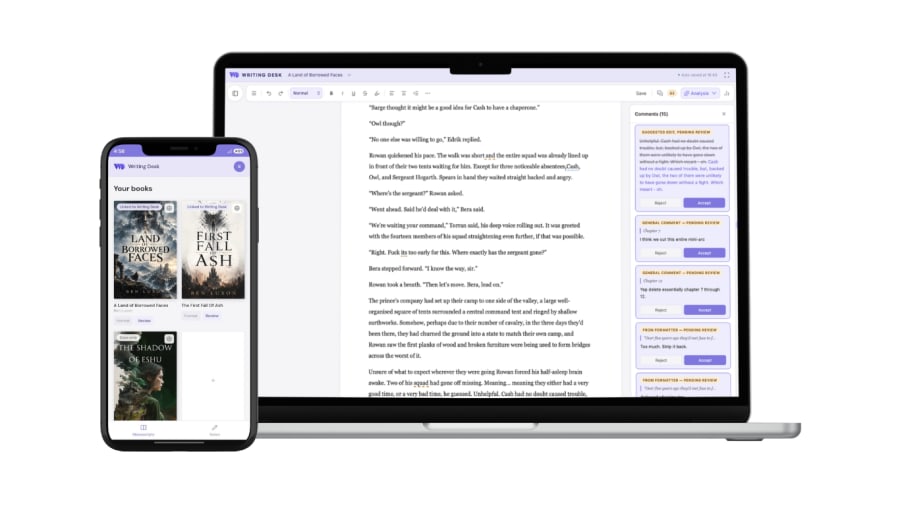
Review on your phone
Read your manuscript and handle comments and suggested edits on the go.
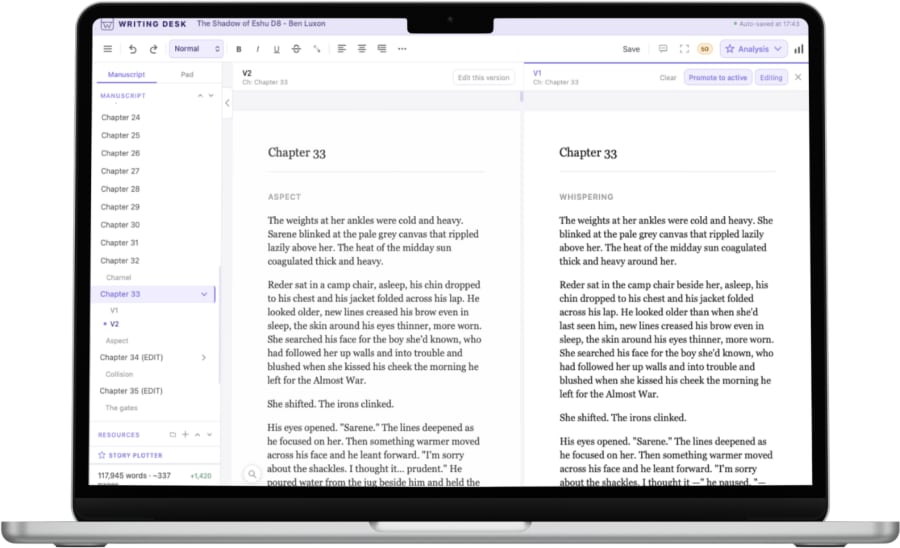
Chapter variants
Try a different version of a chapter without losing the first.
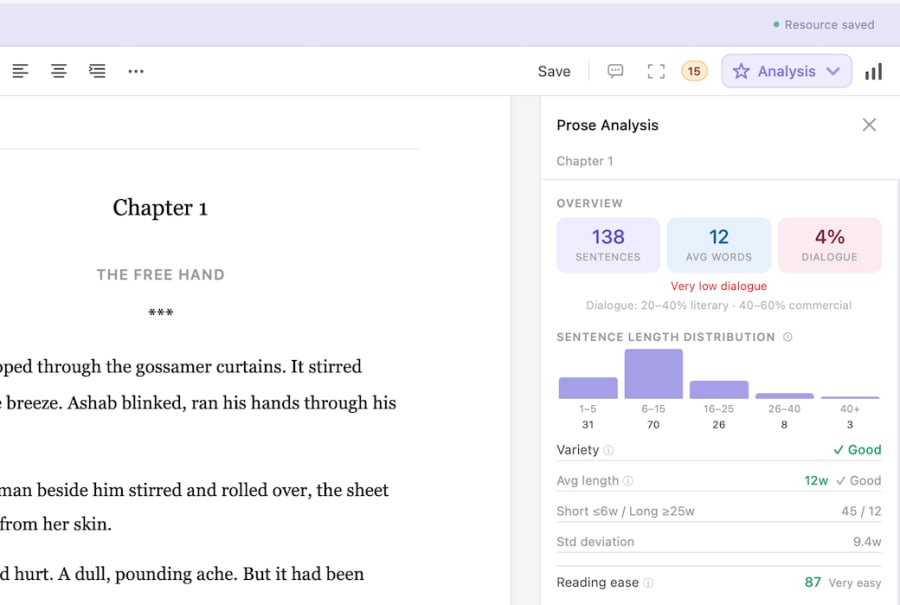
Prose Analysis
See sentence length, passive voice and other patterns in your own prose.
What each does well
What does Ulysses do well?
- A polished library for a large body of writing, synced across Mac, iPad and iPhone.
- A fit for bloggers and article writers who publish from their writing app.
- A quiet interface that keeps the focus on the sentence.
What does Writing Desk add?
- Word files stay Word, Markdown files stay Markdown: open a doc, edit it, and it saves back as original format.
- A full novel toolkit when a piece grows into a book: plotter, timeline, resource sheets and versions.
- Four editorial review lenses for non-fiction documents (Argument, Clarity, Evidence and Voice).
- Typeset EPUB and print PDF export when a manuscript is finished.
Which one should you choose?
Choose Ulysses if you:
- Write mostly on iPad or iPhone as well as Mac.
- Keep a big library of articles and notes in one place.
- Want the simplest possible writing surface.
Choose Writing Desk if you:
- Write on a Mac and want one app for essays, notes, and a novel.
- Want story planning and editorial review without leaving the editor.
- Prefer plain Markdown files you can open anywhere.
macOS 13 Ventura or later · No account required
Can you use Ulysses and Writing Desk together?
Yes. Both work with Markdown, so a draft from Ulysses can be exported to .md and opened in Writing Desk when it needs planning or editorial tools.
Common questions
Is Writing Desk a Ulysses alternative?
For Mac writers who want Markdown documents alongside novel tools, yes. Ulysses is the stronger pick if you draft mostly on iPad and iPhone, because Writing Desk books and documents start on the Mac.
Can Writing Desk edit Markdown?
Yes. It opens .md files, edits them and autosaves back to Markdown.
Does Writing Desk work on iPhone?
Yes. The Writing Desk mobile app runs on iPhone and iPad. Sync a book or documents from your Mac, then read, write and capture notes on your phone, offline too. Edits to a manuscript come back to your Mac as suggestions you accept or reject.
Try Writing Desk on your own manuscript.
Open a Markdown file from your own library and see how it feels.
macOS 13 Ventura or later · No account required