Writing Desk vs Sudowrite
Sudowrite is an AI writing partner for fiction, built to brainstorm, describe, and draft scenes with you. Writing Desk is a writing tool for people that respect the craft with AI editorial tools designed to help you polish your fiction, and will never write prose for you.
macOS 13 Ventura or later · No account required
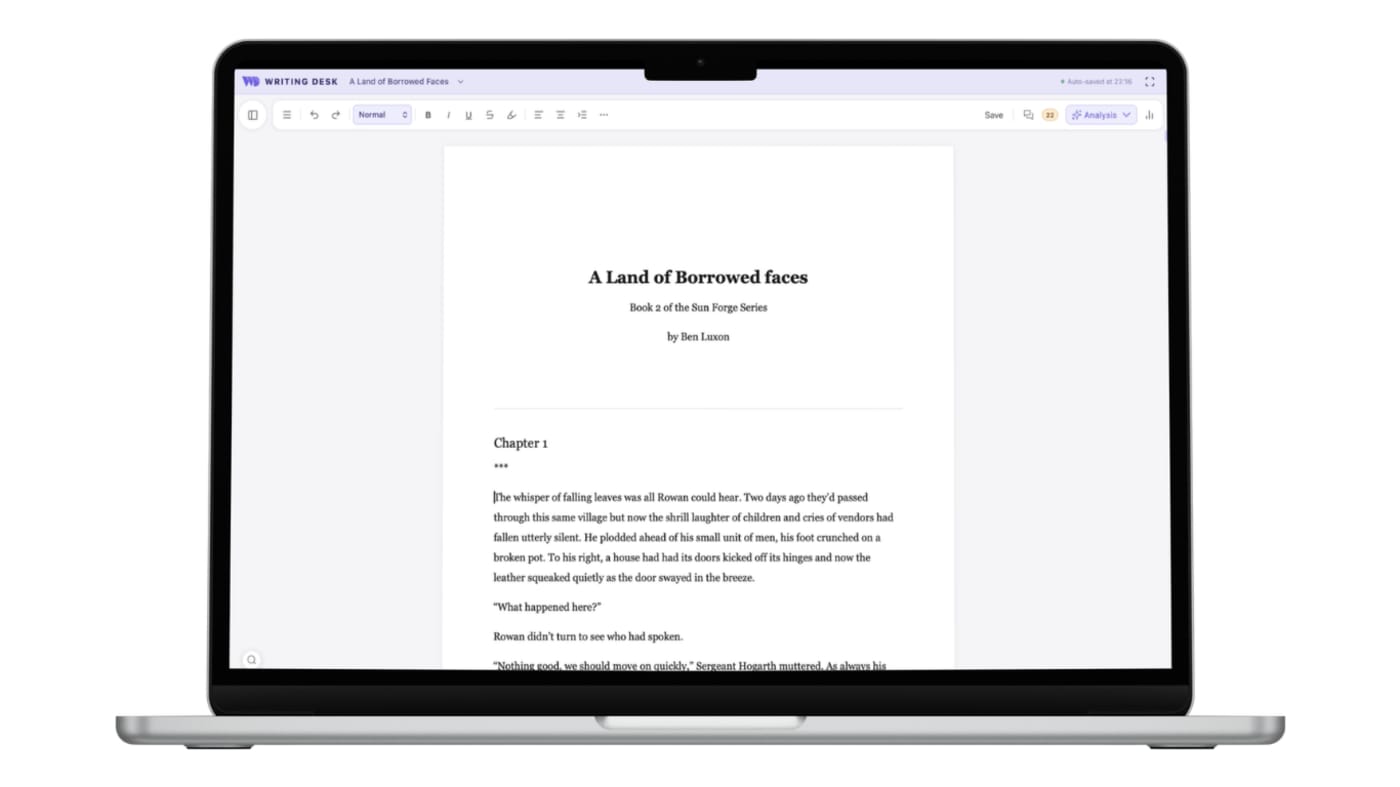
Your words, with an editor beside you
Where Writing Desk differs from Sudowrite, from who writes the words to how the finished book comes out.
Sudowrite is built to draft and rewrite prose with you, so the sentences on the page come from both of you.
The AI reviews but never writes, so every sentence is yours.
Sudowrite runs in your browser, so you write online and your project lives in an online service.
A distraction-free editor in a native Mac app that works fully offline. Your manuscript is stored on your Mac. AI calls are made transiently and your words are never used to train models.
Planning runs through Story Engine and a story bible, built to feed the AI.
Story planning tools are built in and do not rely on AI: eleven structure templates in the Story Plotter, a Story Board, a Timeline and a Resource Hub for characters, locations, lore and factions.
Sudowrite's tools are AI features, and each use draws on your credits.
Fiction-specific spelling and grammar checks and Prose Analysis run on your Mac, with no AI and no usage limit.
Export covers DOCX and plain text.
Export .docx, .md, .txt or .pdf, then typeset an EPUB and print PDF in Formatter, with the fonts, drop caps and scene breaks you choose.
There is no ongoing free plan after a small trial, and credit-metered use can run out quickly when you generate a lot.
Start on a free plan with a 30-day Premium trial. Paid plans include AI credits, with top-ups when you need them.
Converting a .docx or .md document to a .wddoc project makes a copy and leaves your original file as it is. How it works
At a glance
Writing Desk and Sudowrite side by side.
| Feature | Sudowrite | Writing Desk |
|---|---|---|
| Platforms | Web | Mac (macOS 13 Ventura or later), plus iPhone and iPad |
| Price | Credit-metered subscription; about $10 to $44 per month billed annually, $19 to $59 monthly | Free plan with a 30-day Premium trial; paid plans include AI credits |
| Writing environment | Browser-based editor; needs an internet connection | Distraction-free editor in a native Mac app that works fully offline (only AI features need a connection) |
| Planning | Story Engine and story bible | Story Plotter with 11 structure templates, Story Board, Timeline, Resource Hub |
| Spelling, grammar and prose | AI tools that use credits | Fiction-specific checks and Prose Analysis that run locally, with no AI |
| AI role | Drafts, rewrites and expands prose | Reviews chapters and answers research questions; never writes prose |
| Export | DOCX and plain text | Export .docx, .md, .txt, .pdf; typeset EPUB and print PDF through Formatter |
| Your manuscript | Online service | Stored locally on your Mac |
Details about Sudowrite are accurate as of 6 October 2026, based on published reviews. Check sudowrite.com for current prices and features.
See Writing Desk at work
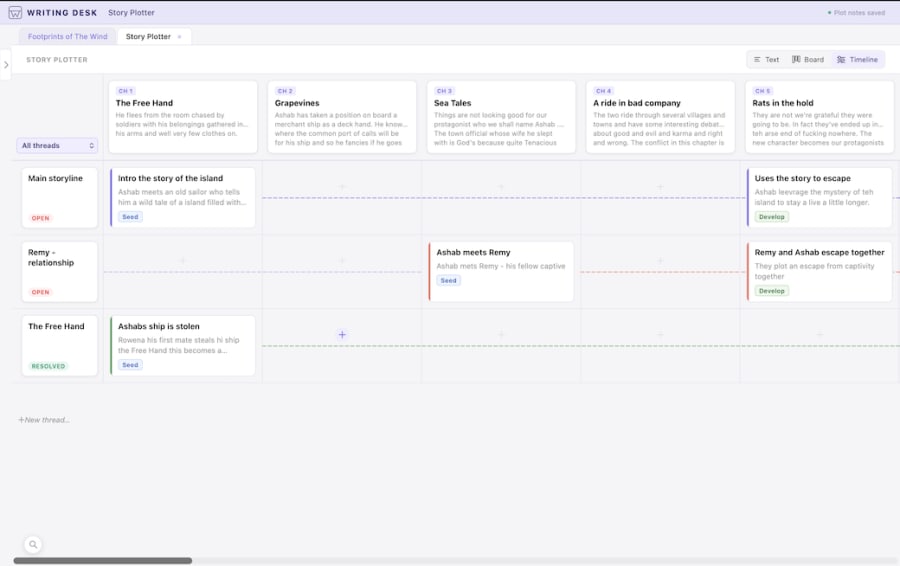
See the story on a timeline
Place scenes along a timeline and spot gaps in the plot.
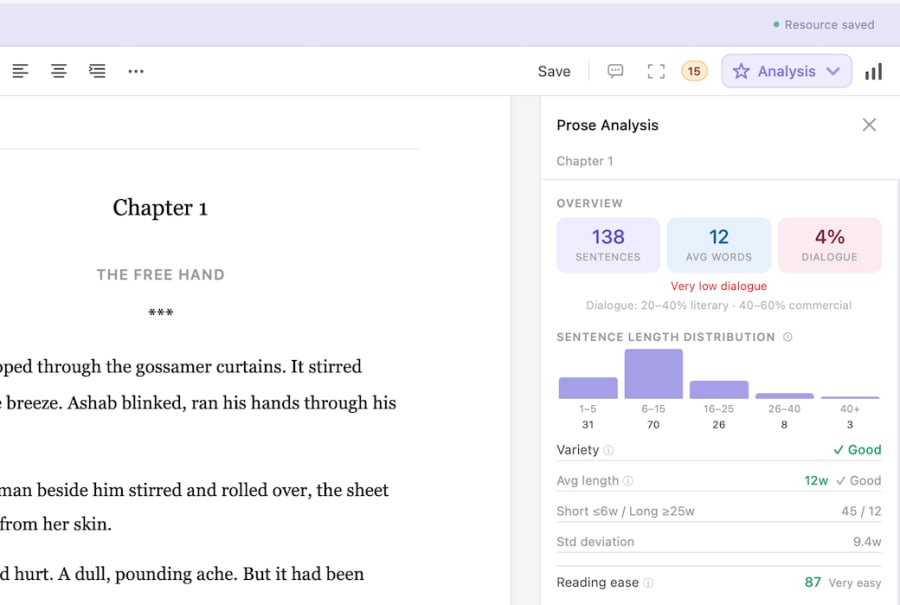
Prose Analysis
See sentence length, passive voice and other patterns in your own prose.
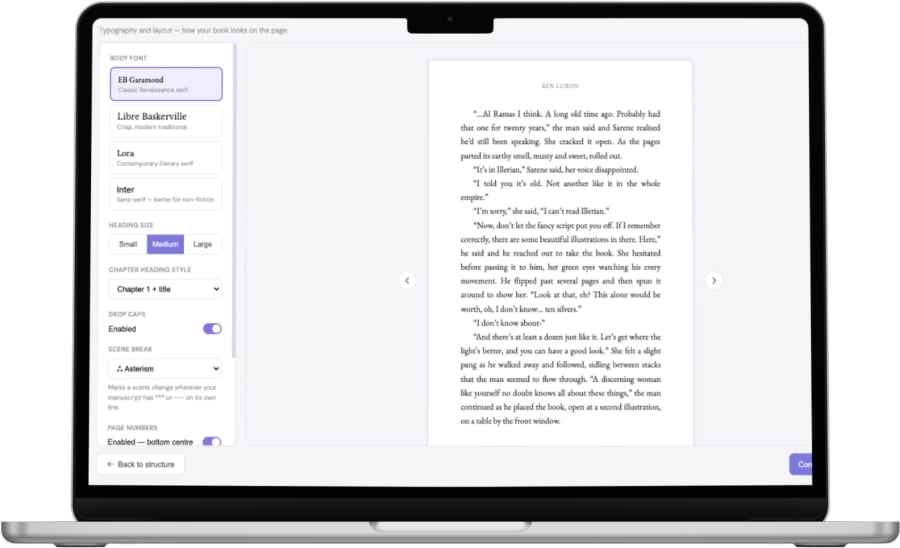
Typeset your book in Formatter
Choose fonts, headings, drop caps and scene breaks, then export an EPUB and print PDF.
What each does well
What does Sudowrite do well?
- AI built for scene-level drafting, description and brainstorming.
- A custom fiction model and a polished set of rewrite tools.
- Works in any browser.
What does Writing Desk add?
- A distraction-free editor in a native Mac app that works fully offline, with your manuscript stored on your Mac.
- Story planning built in: Story Plotter, Story Board, Timeline and Resource Hub.
- Fiction-specific spelling, grammar and Prose Analysis that run locally and do not rely on AI.
- Feedback that sharpens your own voice: every suggestion is accept or reject.
- A typeset EPUB and print PDF through Formatter, when the book is ready.
Which one should you choose?
Choose Sudowrite if you:
- Want AI to propose prose you can shape.
- Write on Windows or Linux.
- Enjoy generating options and picking among them.
Choose Writing Desk if you:
- Want to write every line yourself.
- Value editorial feedback over generated text.
- Prefer a local-first Mac app that works offline.
- Want story planning, proofreading and book formatting built in, without relying on AI.
macOS 13 Ventura or later · No account required
Can you use Sudowrite and Writing Desk together?
Yes. Draft in whichever tool suits you, export .docx, and use Writing Desk for structure checks and editorial review. Writing Desk opens .docx files as they are.
Common questions
Does Writing Desk generate text?
No. The AI Editor and research assistant comment and answer; they do not write prose for your manuscript.
Why take that approach?
It keeps authorship clear. You decide which suggestions to take.
Do I need AI to use Writing Desk?
No. The editor, Story Plotter, Proofreader and Prose Analysis work without it, and the AI features are optional.
Does Writing Desk work offline?
Yes. You can write, plan and proofread offline. Only the AI features need an internet connection.
Is there a free way to try the AI?
New accounts get a 30-day Premium trial that includes chapter reviews and research queries.
Try Writing Desk on your own manuscript.
Bring a chapter or a whole draft and see how the editor, planning tools and proofreading feel in your own pages.
macOS 13 Ventura or later · No account required