Writing Desk vs Dabble
Dabble is a clean novel-writing tool known for its Plot Grid, that runs on any device. Writing Desk is a native Mac app with a mobile app for iPhone and iPad. On the Mac it has a Story Plotter, Story Board and Timeline, plus proofreading, prose analysis and editorial AI. Both aim to get you to the end of a draft; they give you different ways to see your story.
macOS 13 Ventura or later · No account required
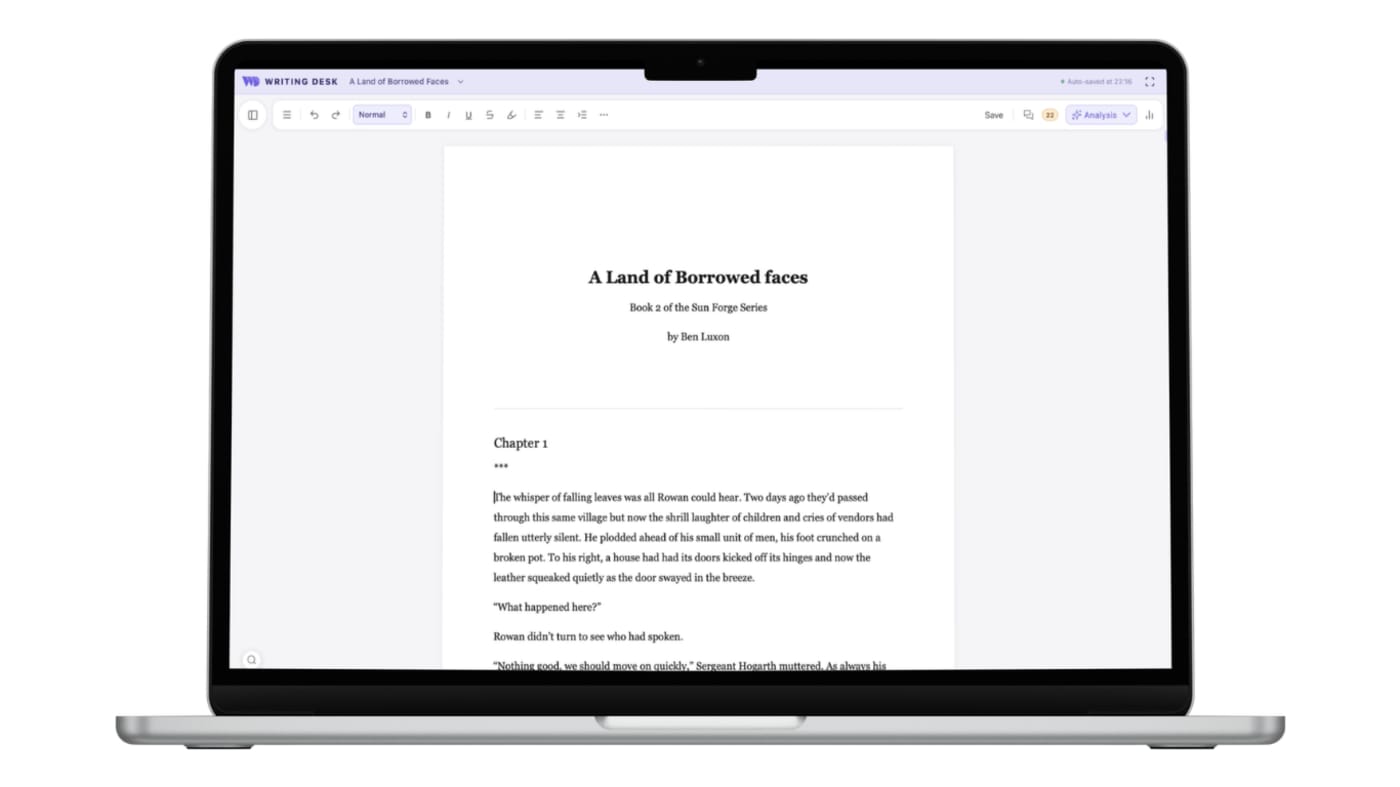
Start free, bring your documents, finish with feedback
Three places where Writing Desk shortens the path from a blank page, or an existing draft, to a finished book.
Dabble offers a 14-day trial, then a subscription from $9 a month.
Start on a free plan with the editor, Story Plotter and Proofreader, plus a 30-day Premium trial. Open a .docx or .md as it is and convert it to a .wddoc project any time.
The plans list grammar and style checks and a thesaurus, so deeper feedback on your prose comes from outside tools.
Prose Analysis runs on your Mac, and the AI Editor reviews chapters to give you a fresh perspective on your work.
Export covers DOCX and PDF.
Export .docx, .md, .txt or .pdf, then typeset an EPUB and print PDF through Formatter.
Converting a .docx or .md document to a .wddoc project makes a copy and leaves your original file as it is. How it works
At a glance
Writing Desk and Dabble side by side.
| Feature | Dabble | Writing Desk |
|---|---|---|
| Platforms | Cloud-based, on any device | Mac (macOS 13 Ventura or later), plus iPhone and iPad |
| Price | Writer $19, Author $29, Bestseller $49 a month. 14-day trial with all Premium features; no free plan | Free plan; paid plans starting at $10 a month when you choose an annual subscription |
| Plotting | Plot Grid from the Standard plan ($19 a month) | Story Plotter with 11 templates, Story Board, Timeline |
| Collaboration | Co-authoring on the Premium plan ($29 a month) | Comments and suggested edits through Formatter |
| AI | No AI features; grammar and style checks on Premium | Editorial AI that never writes your prose |
| Export | DOCX and PDF | Export .docx, .md, .txt, .pdf; typeset EPUB and print PDF |
Details about Dabble are accurate as of 6 October 2026, based on published reviews. Check dabblewriter.com for current prices and features.
See Writing Desk at work
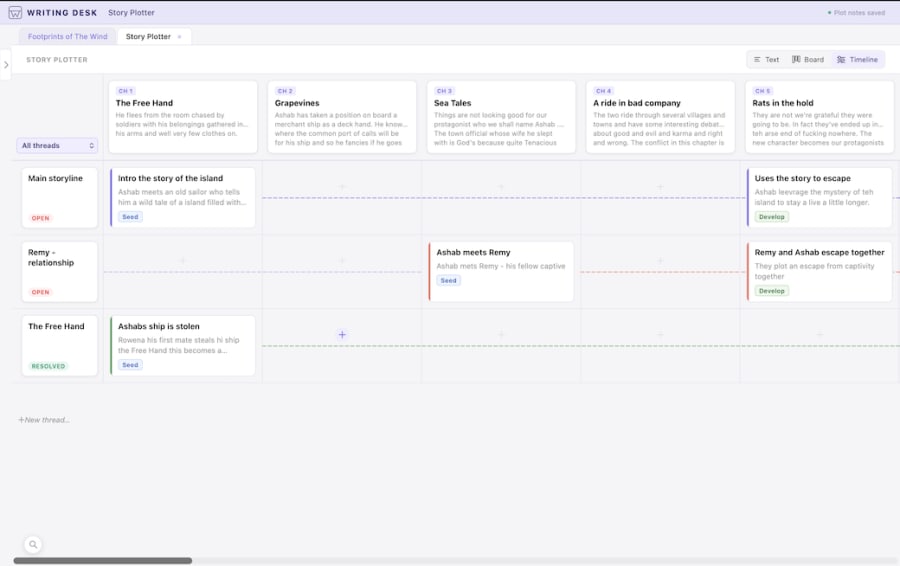
See the story on a timeline
Place scenes along a timeline and spot gaps in the plot.
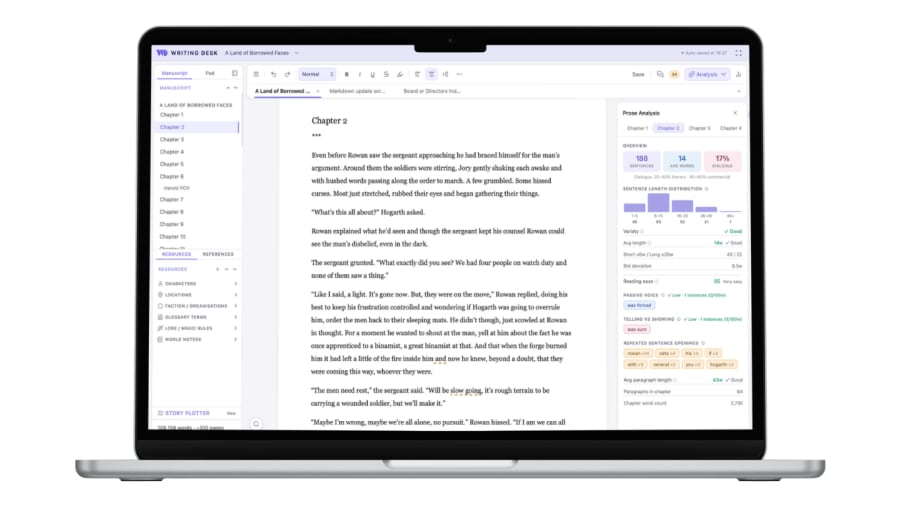
Everything beside your chapter
Plot notes, resources and editorial review open next to the page you are writing.
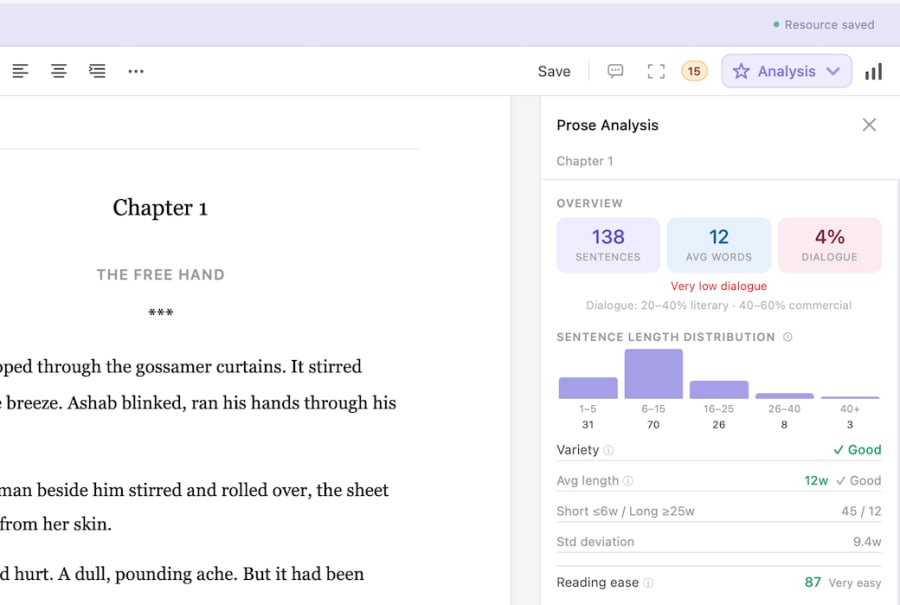
Prose Analysis
See sentence length, passive voice and other patterns in your own prose.
What each does well
What does Dabble do well?
- A friendly, focused interface that gets beginners drafting quickly.
- Plot Grid for tracking threads across scenes.
- Works on any device, including Windows.
What does Writing Desk add?
- Eleven structure templates to start from, including genre arcs.
- A Story Timeline for tracking narrative threads.
- Proofreader and local Prose Analysis, with editorial AI reviews of your chapters.
- A free plan with the editor, Story Plotter and Proofreader, where Dabble's Plot Grid starts on its $19 Standard plan.
Which one should you choose?
Choose Dabble if you:
- Write on Windows as well as Mac.
- Prefer a grid view of plot threads.
- Want to co-author inside the same project.
Choose Writing Desk if you:
- Write on a Mac and want local storage.
- Want editorial feedback tools built in.
- Like starting from a proven structure template.
macOS 13 Ventura or later · No account required
Can you use Dabble and Writing Desk together?
Both export .docx, so a draft can move between them.
Common questions
Is Writing Desk a Dabble alternative?
For Mac novelists, yes. Dabble runs on any device including Windows; Writing Desk adds local-first storage and editorial tools.
Does Writing Desk have a plot grid?
It has a Story Board and Timeline alongside the Story Plotter for seeing structure visually.
Is there a free trial?
Yes. The free plan is open-ended, and new accounts get a 30-day Premium trial.
Try Writing Desk on your own manuscript.
Plot a chapter in the Story Plotter and compare it with your grid.
macOS 13 Ventura or later · No account required