
Thirty days, 50,000 words, and one job: get the draft down. The right writing software makes that easier from the first session. The wrong software hands you a setup project, a tour of features and a dozen distractions, when all you wanted to do was write.
This guide covers what to look for in writing software for NaNoWriMo, then compares twelve popular options alongside Writing Desk, my own app. I’ve put Writing Desk first, and I’ve tried to be straight about where each of the others is the better fit.
It’s worth noting that the NaNoWriMo nonprofit officially closed in 2025. The 50,000-word November challenge has carried on without it, with writers still gathering in online communities, Discord servers and local write-ins. I’ve assembled a list of places to join further down this page.
What should you look for in NaNoWriMo writing software?
Alongside the usual considerations when you start a new writing project, NaNoWriMo asks you to do one of the hardest things a writer can do: set aside procrastination, climb out of the research rabbit hole and just write. If software is going to help with that, four criteria matter most.
1. A simple, distraction-free writing space
Your aim is to type: as much as possible, as quickly as possible, as consistently as possible. Every feature that asks you to edit, analyse, set up or rethink your plan pulls you away from that. The best NaNoWriMo software keeps the page front and centre and keeps everything else out of sight until you ask for it.
2. Ease of use from the first minute
You have 30 days. A long setup, a binder to configure or a manual to read costs you words. Look for software where you open a file and start writing.
3. A strong free plan that lasts beyond November
Some tools give you a 30-day trial and then lock your project. Look for a free plan you can keep using in December, when the real work of revising your draft begins.
4. Quality exports
Your draft belongs to you. Check that you can get it out as a Word file or Markdown without a fight, whether it is going to a beta reader, an editor or another app.
Quick comparison: the best NaNoWriMo writing apps
| App | Best for | Platform | Price from |
|---|---|---|---|
| Writing Desk | Starting fast, then growing into a full novel project | Mac | Free core plan; paid from £8/month |
| Scrivener | Writers who love planning and organising | Mac, Windows, iOS | $59.99 one-time |
| Ulysses | Clean Markdown writing across Apple devices | Mac, iPad, iPhone | $5.99/month |
| iA Writer | Pure, minimal drafting | Mac, Windows, iOS, Android | $49.99 one-time (Mac) |
| Bear | Notes and short writing | Mac, iPhone, iPad | Free; Pro $2.99/month |
| Plottr | Visual plotting and timelines | Mac, Windows, web | Three pricing tiers $60/year, $99/year, $129/year |
| Vellum | Formatting a finished book | Mac | Free to try; $199.99 to export |
| Reedsy Studio | Free writing and formatting in a browser | Browser | Free |
| Dabble | Plotting and goals in one place | Browser, desktop, iOS, Android | $19/month |
| Atticus | Writing and formatting a book in one app | Browser, desktop | $147 one-time |
| Novelcrafter | Writers who want AI woven into their process | Browser | $4/month |
| Obsidian | Building your own Markdown notes and writing system | Mac, Windows, Linux, iOS, Android | Free. Sync plan starts from $4 per month. |
| Google Docs | Free, shareable drafting | Browser | Free |
Prices are shown in the currency each company lists and were checked in October 2026.
The 13 best writing software options for NaNoWriMo
#1  Writing Desk
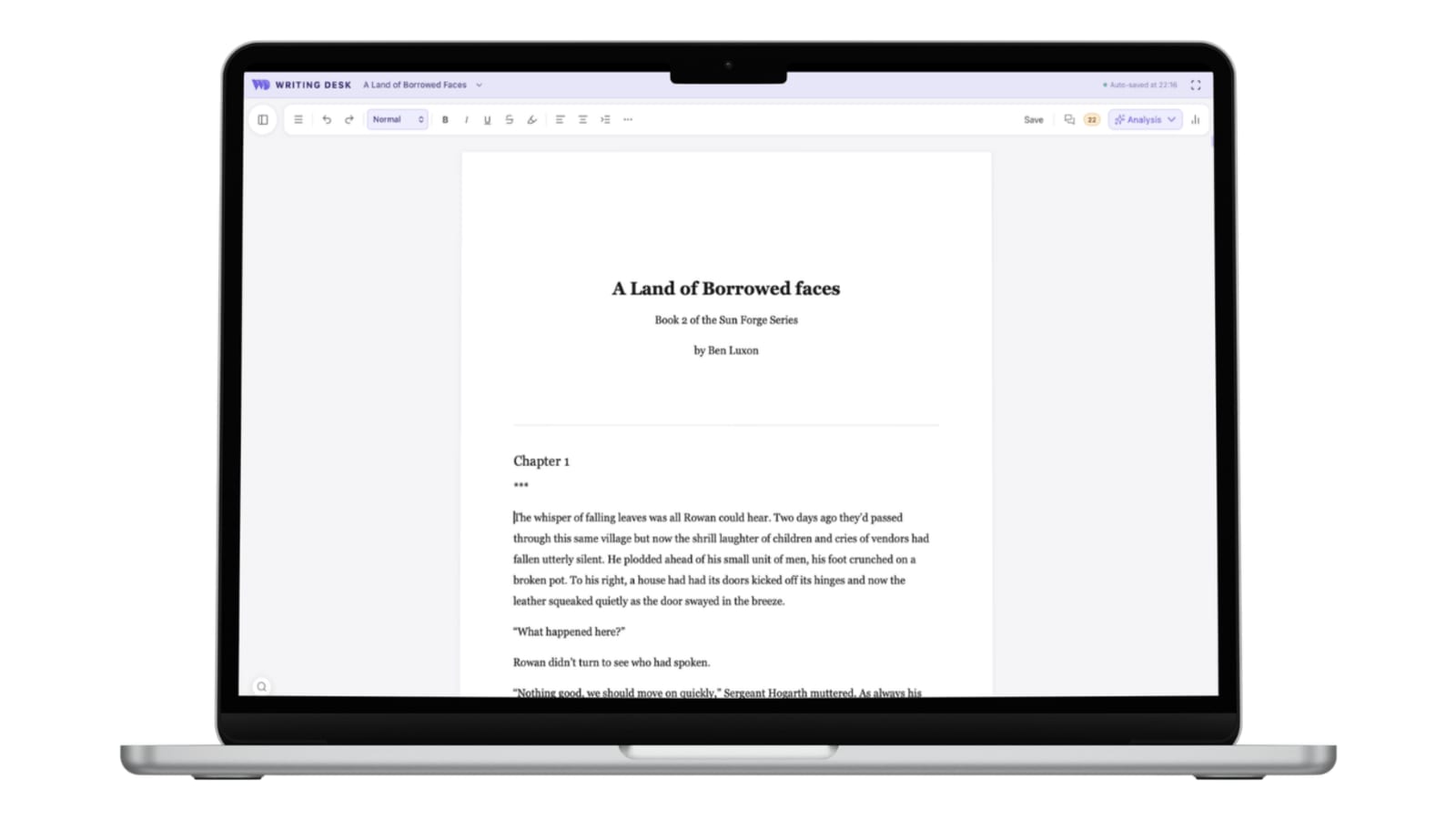
Writing Desk is a native Mac app for novelists, built so you can start drafting the minute you open it. Open a Word (.docx) or Markdown (.md) file and start typing, with no project to set up. Press Shift + Cmd + F and focus mode hides everything except the page.
The core writing environment is free and stays free, and every new install includes 30 days of the full program. When those 30 days end, the Pro and Premium features pause, and you can keep writing without limits.
When you’re ready to revise, convert your draft into a full Writing Desk project in a couple of clicks.
Core features
- Story Plotter. Eleven structure templates, including Three-Act, Hero’s Journey and Save the Cat, plus genre arcs for romance, mystery, thriller, fantasy, horror and young adult.
- Character and world-building templates. Keep your notes beside your draft.
- Built-in spell and grammar checker. Powered by LanguageTool, which runs on your Mac.
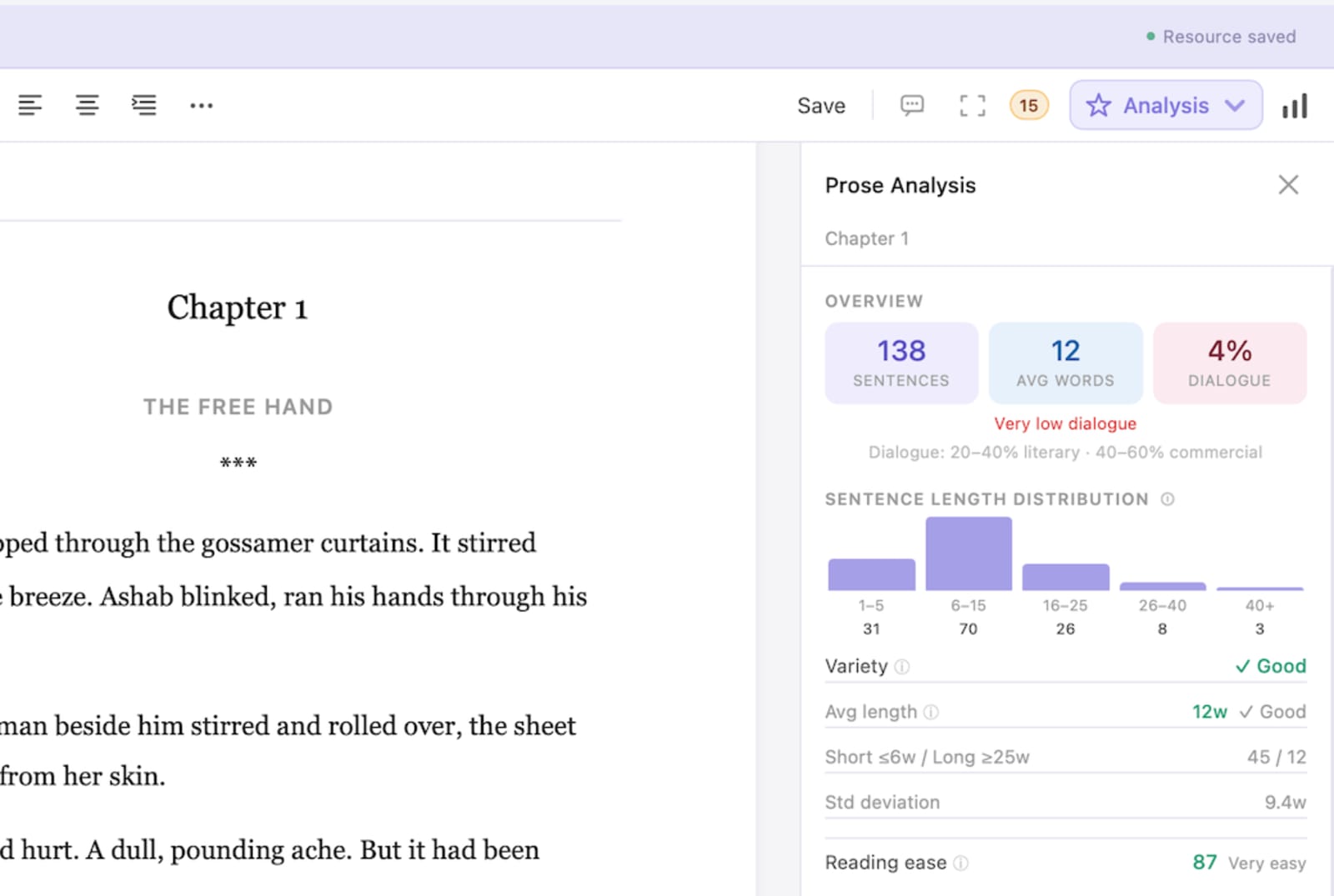
- Editing tools. Chapter variants, version history and prose analysis, plus an optional AI editorial review that suggests changes for you to accept or reject. AI never writes your prose.
- Writing tracker. Measure your progress day by day through the month.
- Exports. .docx, .md, .txt, .pdf, .epub and print-ready files, with your manuscripts stored locally so the app works offline.
Pricing: Free for the core writing environment, with 30 days of the full program included. Paid plans start from £8 per month.
Choose Writing Desk if you write on a Mac, want to open a file and start typing today, and want a full novel toolkit ready for the day you begin revising.
Writing Desk runs on Mac only. If you write on Windows, Linux or a Chromebook, one of the options below may be a better fit.
#2  Scrivener
 is the benchmark of writing software. It is superb if you already love organising, plotting and building a binder full of research, and it does nearly everything. That full suite of features comes with a steep learning curve, and it is the reason I bounced off it, more than once. If you want to pick something up and write today, the setup can eat into your first week of NaNoWriMo.
Core features
- A binder for chapters, scenes, notes and research in one project file
- Corkboard and outliner views for planning
- Full-screen composition mode
- Word count targets and writing statistics
- Snapshots to save versions of a scene before you rewrite it
- Compile to Word, PDF, EPUB and more
Pricing: $59.99 one-time for Mac or Windows, $95.98 for the Mac and Windows bundle, and $23.99 for the iOS app. There is a 30-day free trial.
Choose Scrivener if you enjoy configuring a system and want every tool in one place.
#3  Ulysses
 is a polished Markdown writing app with a calm interface and a library that syncs across Apple devices. It is a lovely place to write. Its subscription model and Markdown-first approach suit some writers better than others, and it is built more for writing than for long-form novel structure.
Core features
- Markdown-based editor with a clean, calm interface
- A library of sheets and groups that syncs through iCloud
- Writing goals for each sheet
- Typewriter and distraction-free modes
- Export to PDF, Word, ePub and HTML
Pricing: Subscription only, from $5.99 per month, with a discounted annual plan. There is a free trial and no free plan.
Choose Ulysses if you live in the Apple ecosystem and like Markdown.
#4  iA Writer
 is the purist’s choice. A clean page, focus mode and very little else. It is excellent for drafting, but you will likely want somewhere else for plotting, research notes and editing.
Core features
- Minimal Markdown editor with a dedicated writing typeface
- Focus mode that highlights the sentence or paragraph you are on
- Syntax highlighting for nouns, verbs and adjectives
- A library for organising documents
- Export to PDF, Word and HTML
Pricing: One-time purchase per platform: $49.99 for Mac, $49.99 for iPhone and iPad, and $29.99 for Windows. There is a free trial on Mac and Windows.
Choose iA Writer if you want the simplest possible page and plan to handle everything else elsewhere.
#5  Bear
Bear is a clean notes app with Markdown support. It works well for ideas, outlines and short pieces. A 50,000-word manuscript asks for more structure than a notes app is designed to give, and if you’re like me, you may find a novel-length project stretches its limits.
Core features
- Markdown editor with a tidy, minimal look
- Tags and nested tags instead of rigid folders
- Links between notes for characters, places and ideas
- A free plan with the core app
- Pro adds iCloud sync, extra export formats (PDF, HTML, DOCX) and themes
Pricing: Free. Bear Pro is $2.99 per month or $29.99 per year, with a free trial.
Choose Bear if you want a home for notes and character ideas alongside your draft.
#6  Plottr
 is a visual plotting tool with timelines and story templates. It helps you plan a novel, but it is a place to plan rather than to draft, so you will need a writing app alongside it. If plotting is the part you find hardest, it is a strong companion. Writing Desk includes plotting templates too, so you can keep your outline and draft in one place.
Core features
- Visual timeline of plotlines and scenes
- Story structure templates
- Cards for characters, places and notes
- Series planning across several books
- Outline export to use in your writing app
Pricing: An annual or lifetime licence, from around $60 a year. Plottr Pro adds a web app, cloud sync and real-time collaboration at a higher price. There is a 30-day free trial.
Choose Plottr if you want to plan visually before you draft.
#7  Vellum
 makes beautifully formatted ebooks and print books. It is a formatting tool for a finished manuscript, so it comes after NaNoWriMo. If printing is your goal, add it to your toolkit in the new year. Writing Desk also has a book formatting tool for EPUB and print PDF exports.
Core features
- Book Styles for chapter openings, ornaments and layout
- Live previews of your book on e-readers and in print
- Imports your manuscript from Word
- Generates EPUB and print-ready PDF files
- Mac only
Pricing: Free to download and preview. Generating files costs $199.99 for ebooks only, or $249.99 for ebooks and print.
Choose Vellum if you are ready to format a finished book.
#8  Reedsy Studio
 is free and covers writing and formatting in one browser-based app. In my opinion it is a little busy for focused drafting, and because it runs online, you need a connection to write. It is also home to the Reedsy Novel Sprint, covered in the community section below.
Core features
- Free browser-based editor with chapter sidebar and goals
- Automatic typesetting while you write
- Free EPUB and print-ready PDF export
- Comments and tracked changes for editors and co-authors
- No offline mode
Pricing: Free for writing and formatting. Optional add-ons cost $4.99 per month for Craft, $7.99 for Outlining, or $10.99 for both.
Choose Reedsy Studio if you want a free, all-in-one tool and always have a good connection.
#9  Dabble
 combines a writing space with plot grids and word count goals, aimed squarely at novelists. It works well for writers who want planning tools beside the draft, and it is subscription-based.
Core features
- Plot Grid for mapping storylines, scenes and subplots
- Story notebook with character profiles
- Daily word count goals, stats and streaks
- Focus mode and dark mode
- Cloud sync and backup across web, desktop and mobile
- No generative AI
Pricing: Subscription from $19 per month for Writer, $29 for Author and $49 for Bestseller, with 20% off for annual billing. Lifetime Author access costs $699. There is a 14-day free trial, and if you stop paying your manuscripts stay available to view and export.
Choose Dabble if you want novel-specific planning built into your writing app.
#10  Atticus
 lets you write and format a book in the same app, which makes the step from draft to ebook and print file short. It is a strong pick if self-publishing is the goal, and our guide to publishing on Amazon KDP covers the next step. For the drafting stage, it asks you to commit to a purchase before you know whether you like writing in it, though there is a 30-day money-back guarantee.
Core features
- Writing editor with a chapter sidebar and writing goals
- Real-time formatting preview across devices
- Book templates and a theme builder
- Export to EPUB, PDF and DOCX
- Runs in the browser or installed on Windows, Mac, Linux and Chromebook
Pricing: $147 one-time, with lifetime updates and a 30-day money-back guarantee.
Choose Atticus if you plan to self-publish and want drafting and formatting under one roof.
#11  Novelcrafter
 is built around planning and AI-assisted drafting, with a codex for characters and world details. It is a good fit for writers who want AI as a drafting partner. Writing Desk takes the opposite approach: AI assists editorially and never writes for you.
Core features
- Codex for characters, locations and world details
- Chat and prompts for AI-assisted drafting, using your own API key
- Series and universe support across several books
- Review tools for tracking scenes and characters
- A Scribe plan without AI
Pricing: Free 21 day trial. After trial it is subscription only. Scribe (no AI) is $4 per month, Hobbyist $8, Artisan $14 and Specialist $20. There is a free trial.
Choose Novelcrafter if you want AI involved in generating text as you write.
#12  Obsidian
 is a powerful Markdown notes app with a huge plugin library. Writers who enjoy building their own system love it. It is another piece of software I desperately wanted to love, but I found the setup more work than I was willing to give it. For NaNoWriMo, the risk is spending November tuning a system instead of writing in it.
Core features
- Local Markdown files that you own
- Links, backlinks and a graph view of your notes
- A large library of community plugins
- Canvas for visual boards
- Works on Mac, Windows, Linux, iOS and Android
Pricing: The app is free. Obsidian Sync is $4 per month billed annually, and Obsidian Publish is $8 per month billed annually.
Choose Obsidian if you enjoy assembling your own setup and already work in Markdown.
#13  Google Docs
 is free, familiar and easy to share. It’s where I wrote my first two novels, until I eventually started looking elsewhere. My issues with it were simple: long manuscripts become unwieldy, you end up with hundreds of tabs open, and there are too many distractions. There are no novel-specific tools either.
Core features
- Free with a Google account, in any browser
- Real-time sharing, comments and suggested edits
- Version history
- Offline editing with the Chrome extension
- Download as Word, PDF, EPUB or Markdown
Pricing: Free with a Google account.
Choose Google Docs if you already use it and want the lowest barrier to starting.
Which NaNoWriMo writing software should you choose?
- You want to open a file and write, with a full toolkit waiting for revision: Writing Desk.
- You love organising and plotting before you write: Scrivener.
- You want the leanest page possible: iA Writer.
- You want a calm Markdown app across your Apple devices: Ulysses.
- You want to plan visually first: Plottr.
- You want novel planning and goals in one subscription: Dabble.
- You want a free browser tool with formatting built in: Reedsy Studio.
- You are ready to format a finished book: Vellum.
- You want drafting and formatting in one app for self-publishing: Atticus.
- You want AI involved in generating text: Novelcrafter.
- You like building your own Markdown system: Obsidian.
How to choose the best writing software for you
Don’t pick just one. Run a test instead. Choose two or three apps that appeal, write a scene or a thousand words in each, then decide which one you are most comfortable in. Settle on it, and use it for a few days before the month begins so you know it properly.
I’d also check how each app handles trials, and what happens when the trial expires:
- Free trial: Make sure there is a trial, so you can test properly before paying.
- Free plan: Once your trial period is up, what happens? Are you locked out until you pay? Do you need to move to new software mid-draft? Neither is a good situation during NaNoWriMo, so check which apps have a free plan that carries you through the month without friction. If you want to upgrade at the end of NaNoWriMo, by all means, but your month shouldn’t be cut short by software limits.
Writing Desk is designed for this moment: a free plan, 30 days of the full program, and nothing to set up before you write. If the trial ends mid-month, the Pro and Premium features pause and the core writing environment stays free, so you never have to switch software halfway through your draft. Add it to your shortlist, give it a writing test, and see how it feels.
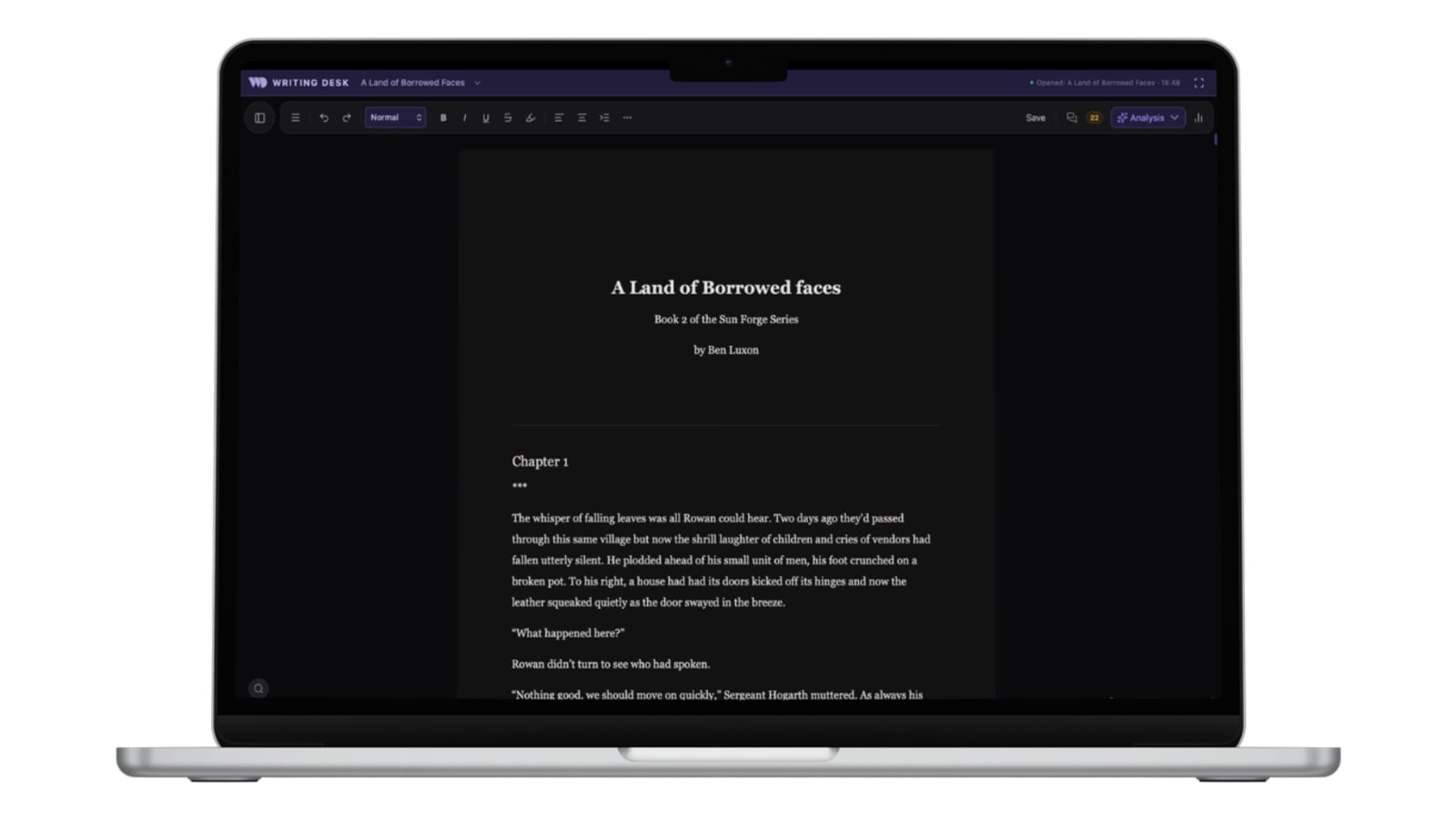
Writing Desk tip: Open a blank Markdown file (the first-document guide shows how), press Shift + Cmd + F to hide everything except the page, and write your first 1,667 words. That is a full NaNoWriMo day, and you will know within an hour whether the app suits you.
Where can you find a writing community this November?
The original NaNoWriMo nonprofit has closed, and its community has found new homes. If you want company for your 50,000 words, these are good places to start.
Challenges to join
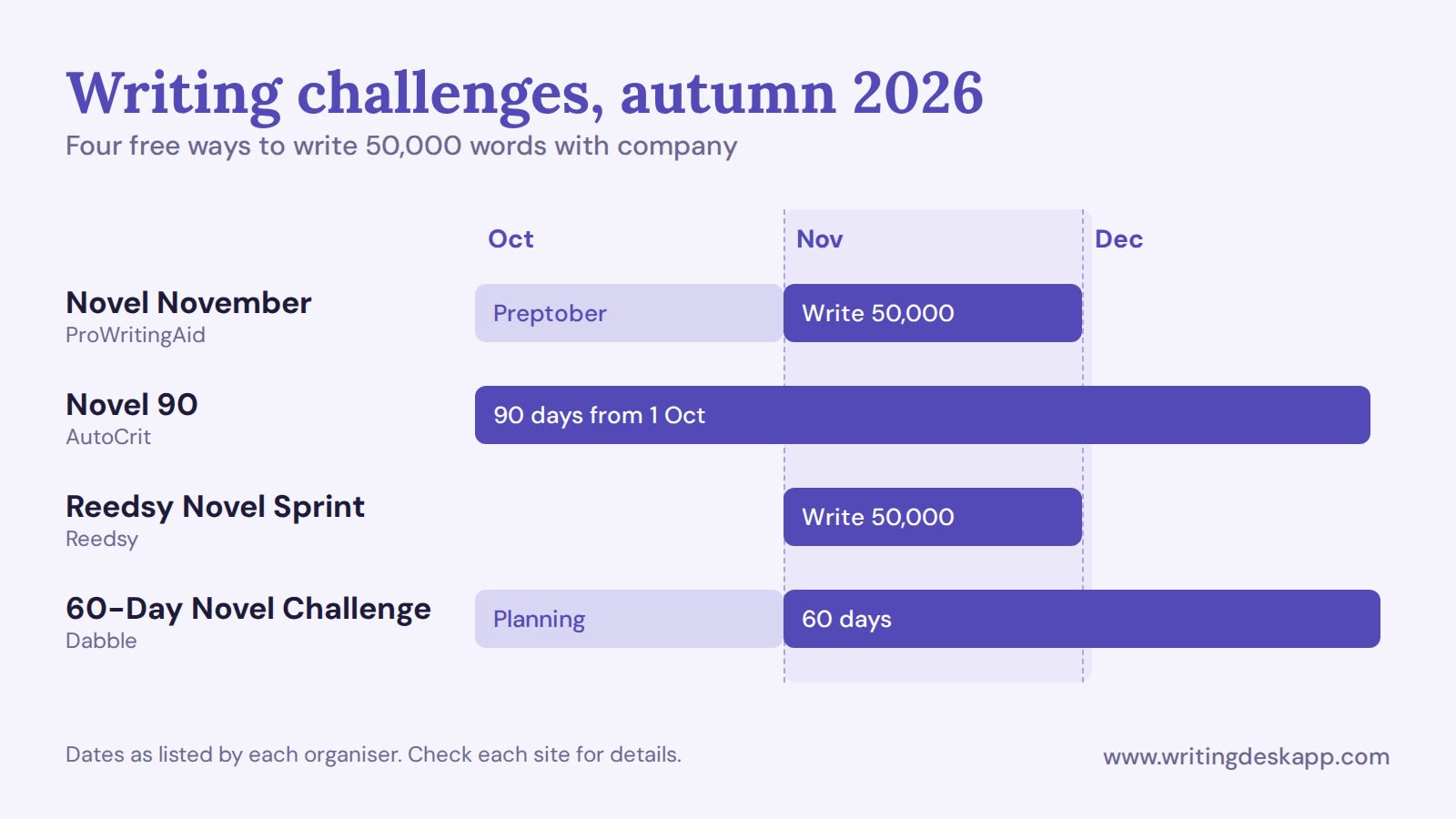
- Novel November. Run by ProWritingAid and free to join. Preptober workshops start on 1 October, and the 50,000-word challenge runs from 1 to 30 November 2026. You need a free ProWritingAid account, and you can log your word count wherever you write, including by hand.
- Novel 90. A free 90-day challenge from AutoCrit, with the Fall 2026 edition starting on 1 October. You join a team by planning style (Planner, Pantser or Plantser), with live sessions, sprints and daily emails.
- The 60-Day Novel Challenge. Hosted by Dabble and free to join. Planning happens in October and writing starts on 1 November.
- Reedsy Novel Sprint. A 50,000-word challenge through November with cash prizes of up to $5,000 and introductions to a literary agent. To be eligible for the prizes, you need to draft the 50,000 words in Reedsy Studio.
- NovelEmber. A self-reported, honour-system challenge from World Anvil. You can write in any tool, set your own goal, and claim a certificate at the end.
Places to chat and write alongside others
- r/nanowrimo on Reddit. An unofficial, long-running subreddit where writers share progress and encouragement.
- Discord writing servers. Several run sprints and word wars all month. Reedsy’s server has a channel for the Novel Sprint, and World Anvil’s server has a #NovelEmber channel. ProWritingAid also hosts a Novel November chat space inside its community.
- Shut Up & Write. A global community that hosts in-person and online writing sessions, which suit writers who like company while they type.
- Local write-ins. Libraries, coffee shops and Meetup groups host in-person sessions in November. Search your town’s library events page or Meetup for “write-in” or “writing group”.
Writing Desk works alongside any of them. The built-in writing tracker lets you measure your progress through the month, and Novel November lets you log your word count by hand, so your totals sit side by side.
What happens after November?
A 50,000-word draft is the start of a novel. Revision is where it becomes a book, and your software can help with that too.
Writing Desk gives you a suite of editing tools like chapter variants, version history and prose analysis, alongside our self-editing hub and other writing resources. The self-editing checklist is a good first stop when you type the last word of your draft, and revising your first draft and how to self-edit a novel walk you through the process. You can also browse the free writing resources.
Frequently asked questions
What is the best software for NaNoWriMo?
The best software gets you typing quickly and stays out of your way. Writing Desk is built for that on Mac: open a Word or Markdown file and start writing, with a free plan that continues after November.
Is NaNoWriMo still running?
The NaNoWriMo nonprofit closed in 2025, but the 50,000-word challenge continues through community-run events such as Novel November, Novel 90 and the Reedsy Novel Sprint. You’ll find the details in the community section above.
Is there free writing software for NaNoWriMo?
Yes. Writing Desk has a free plan, plus 30 days of the full program. Google Docs, Reedsy Studio, Obsidian and Bear’s free plan are also free to use.
Can I write a NaNoWriMo draft in Word or Markdown?
Yes. Writing Desk opens .docx and .md files as they are and saves them in the same format. You can convert a document into a full Writing Desk project later with a couple of clicks.
How many words a day do I need to write?
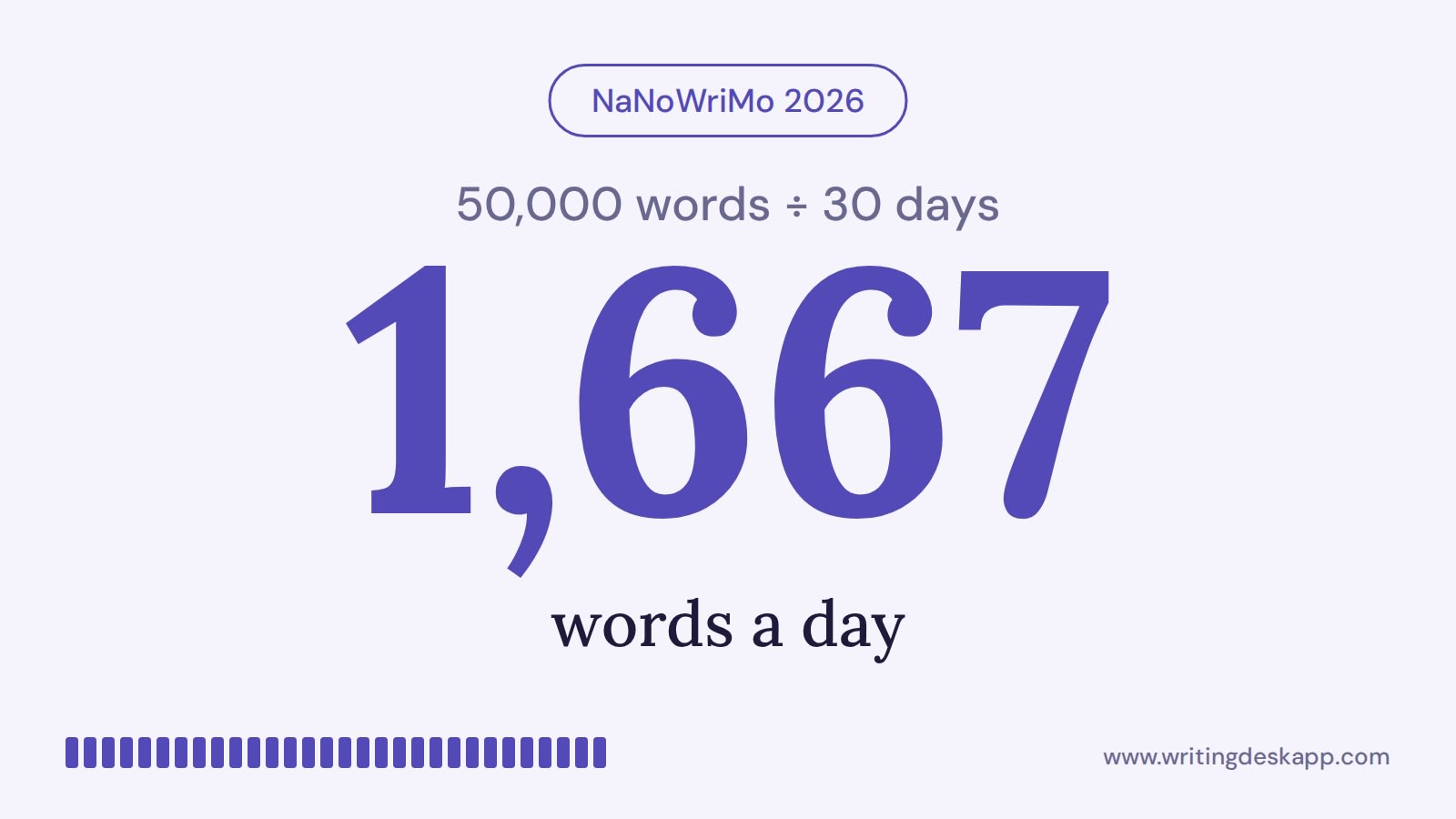
50,000 words across 30 days works out at about 1,667 words a day. If you fall behind, our guides to writing faster and beating writer’s block can help.
Do I need to plot before I start?
No. Plotting helps some writers and slows others down. Start writing, and add structure with story templates when you want it. The story structure hub and our guide to writing a novel outline are there when you are ready.
Does Writing Desk work on Windows?
Writing Desk is a Mac app. Apps including Scrivener, iA Writer and Google Docs all work on other platforms and may be a good place for you to start.
Related reading:
- Self-Editing Hub
- Self-Editing Checklist
- How to Write a Novel
- Story Structure Hub
- Revising Your First Draft
- Write Faster
- How to Self-Publish on Amazon KDP
Choosing writing software? See the best novel writing software and the best writing apps for Mac.

The writing app built for novelists.
Plot, draft, edit, and format your manuscript in one private, local app for Mac. Free to download. Nothing leaves your Mac unless you choose to sync it.
macOS 13 Ventura or later · No account required